
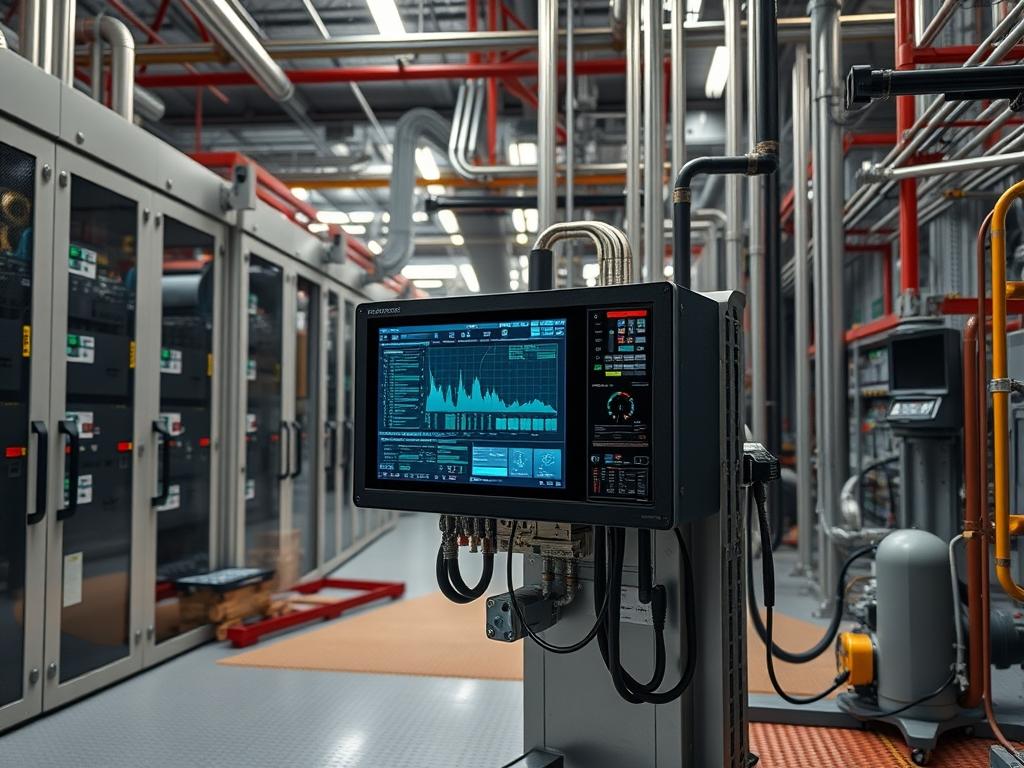
Charge Controller Voltage Sensing serves as the primary feedback loop for terminal voltage regulation within DC power infrastructure, such as remote telecommunications sites, industrial off-grid microgrids, or uninterruptible power supply (UPS) systems. This mechanism functions by measuring the electrical potential across battery bank terminals to determine the appropriate charging phase: Bulk, Absorption, or Float. Precise sensing prevents over-voltage events that cause electrolyte outgassing and thermal runaway, while also mitigating under-voltage scenarios that lead to sulfation and capacity loss.
The integration layer typically involves a 12-bit or 16-bit Analog-to-Digital Converter (ADC) within the controller’s logic board, which interfaces with the system’s management bus via Modbus RTU, SNMP, or MQTT. Operational dependencies include conductor gauge, contact resistance at terminal lugs, and ambient temperature, which influences the chemistry-specific charging setpoints. If sensing accuracy drifts beyond 1.5 percent of the actual terminal voltage, the system enters a failure domain characterized by suboptimal energy throughput and accelerated battery degradation. Accurate calibration ensures that the digital representation of the analog signal matches the physical reality at the battery posts, accounting for voltage drops across the transmission medium.
| Parameter | Value |
| :— | :— |
| Operating Voltage Range | 12V / 24V / 48V / 600V DC |
| Sensing Accuracy Tolerance | +/- 0.05V (typical for 48V systems) |
| Communication Protocols | Modbus TCP/RTU, SNMP v3, CAN bus, MQTT |
| ADC Resolution | 12-bit minimum; 16-bit recommended |
| Sampling Frequency | 10 Hz to 100 Hz |
| Operating Temperature | -40C to +85C |
| Security Protocol | TLS 1.2/1.3 for networked interfaces |
| Hardware Profile | ARM Cortex-M4 or equivalent RISC processor |
| Latency Threshold | < 100ms for real-time regulation |
| Standard Compliance | IEC 62109, UL 1741, IEEE 1547 |
Configuration Protocol
Environment Prerequisites
Successful calibration requires a high-precision reference instrument, such as a Fluke 289 True-RMS multimeter, with a current calibration certificate. The controller must be running the latest stable firmware to ensure that calibration registries are accessible via the CLI or management interface. Administrative access to the site’s SCADA or EMS (Energy Management System) is mandatory. The battery bank should be in a steady state, meaning no high-amperage loads or high-current charging sources are active, as transient voltage spikes or sags will corrupt the calibration baseline. Physical connections between the controller and the battery must be inspected for oxidation or torque inconsistencies before proceeding.
Implementation Logic
The engineering rationale for calibrating Charge Controller Voltage Sensing is rooted in the elimination of ohmic drop errors and ADC quantization offsets. Because the controller often resides several meters from the battery bank, the resistance of the interconnecting cables induces a voltage differential during active charging. The implementation logic involves calculating a fixed offset or a gain multiplier within the controller software to align its internal reading with the actual voltage at the battery terminals.
The dependency chain flows from the analog sensing pins to the internal voltage divider, through the ADC, and into the firmware’s PID (Proportional-Integral-Derivative) loop. If the sensed voltage is lower than the actual voltage, the PID controller will drive the MOSFET or IGBT switching frequency higher, leading to overcharging. Conversely, an artificially high reading results in premature termination of the charge cycle. Calibration adjusts the software-level scaling factors to ensure the state machine operates on accurate data, effectively decoupling the measurement logic from physical transmission losses.
Step By Step Execution
Establish Reference Point Baseline
Connect the leads of a calibrated digital multimeter directly to the battery bank terminals. Ensure the probes are making contact with the lead posts rather than the cable lugs to bypass contact resistance.
Record the value to at least two decimal places. Simultaneously, query the controller for its current perceived voltage via the local display or a terminal session using Modbus tools.
System Note: Using mbpoll or a similar utility on a Linux gateway can provide the raw register value.
“`bash
mbpoll -m rtu -a 1 -b 19200 -d 8 -s 1 -p none /dev/ttyUSB0 -r 30001 -c 1
“`
This command polls address 1 for the voltage register at 30001.
Enter Configuration Mode
Access the controller’s internal shell or management interface. For enterprise-grade controllers, this often involves a serial connection or an SSH session. Authenticate with administrative credentials to unlock the calibration registers. These registers are typically protected to prevent accidental modification by daemonized services or unauthorized users.
System Note: Verify the current mode using the systemctl status equivalent in the controller’s proprietary OS to ensure no conflicting configuration scripts are running.
Apply Voltage Offset Calibration
Calculate the delta between the multimeter reading and the controller reading. If the multimeter shows 54.40V and the controller shows 54.10V, an offset of +0.30V is required. Execute the calibration command or update the specific register via Modbus write.
“`bash
Example for a CLI-based controller
set-param -v sense_offset 0.30
save-config
“`
Alternatively, write to the specific holding register:
“`bash
mbpoll -m rtu -a 1 -r 40005 30
“`
In this context, 30 represents 0.30V if the register uses a 0.01V scaling factor. This action modifies the internal scaling algorithm in the controller’s firmware, ensuring future ADC conversions include the corrected bias.
Verify Calibration Stability
Observe the controller’s reported voltage over a five minute interval. Compare periodic readings with the digital multimeter under varying, but controlled, load conditions. If the controller supports it, initiate a journalctl or log tail to monitor for any “Voltage Sense Out of Range” or “ADC Jitter” alerts that may have been triggered during the adjustment.
System Note: Ensure the SNMP agent reflects the new calibrated value by performing a walk on the relevant OID:
“`bash
snmpwalk -v 3 -u admin -l authPriv [IP_ADDRESS] 1.3.6.1.4.1.9999.1.1.1
“`
Finalize and Commit Changes
Verify that the new values are committed to non-volatile memory (EEPROM or Flash). A system reboot is often required to ensure the PID loop initializes with the new calibration constants. After the reboot, confirm that the controller does not revert to factory defaults.
System Note: Check the hardware watchdog logs to ensure no crashes occurred during the commit process, as writing to flash memory can occasionally trigger timing issues in low-power microcontrollers.
Dependency Fault Lines
Calibration accuracy is frequently compromised by physical and logical stressors. One primary fault line is signal attenuation or noise on the sensing wires. If the controller utilizes dedicated thin-gauge sensing wires (Remote Sense), RFI from the high-frequency switching of the power stage can induce a ripple voltage, leading to ADC jitter. The root cause is often improper shielding or routing sensing wires parallel to high-current AC or DC lines.
Another significant issue is thermal drift within the controller’s internal reference voltage component. As the unit heats up under load, the reference voltage used by the ADC may shift, causing the calibrated offset to become invalid. This is observable as a “drifting” voltage reading that changes as the unit’s internal temperature, reported via thermal sensors, increases.
Permission conflicts can occur when integrated Energy Management Systems attempt to write to voltage registers at the same time a manual calibration is being performed. This race condition can lead to “Register Locked” errors or, worse, inconsistent state data. Verification involves checking the syslog for Modbus exception codes like 0x01 (Illegal Function) or 0x02 (Illegal Data Address).
Troubleshooting Matrix
| Symptom | Error Code / Log Entry | Verification Command | Remediation Step |
| :— | :— | :— | :— |
| Unstable Voltage Reading | `ADC_ERROR_JITTER` | `tail -f /var/log/power.log` | Install ferrite beads on sensing leads; check grounding. |
| Offset Not Saving | `ERR_FLASH_WRITE_FAIL` | `dmesg \| grep flash` | Check filesystem permissions; check flash endurance limits. |
| Modbus Timeout | `Timeout (0x0B)` | `netstat -an \| grep 502` | Verify network path; check for IP collisions on the bus. |
| Logic/Multimeter Mismatch | `SENSE_DELTA_EXCEEDED` | External DMM Comparison | Check for high-resistance connections at the battery lugs. |
| SNMP Data Stale | `OID_NOT_FOUND` | `snmpget … [OID]` | Restart the SNMP daemon; verify MIB file versioning. |
Example journalctl output for a calibration failure:
`Oct 12 14:22:15 ctrl01 powerd[442]: Received voltage calibration offset 0.5V`
`Oct 12 14:22:15 ctrl01 powerd[442]: Error: Offset exceeds safety threshold of 0.4V`
`Oct 12 14:22:15 ctrl01 powerd[442]: Calibration rejected; reverting to persistent state`
Optimization And Hardening
Performance Optimization
To reduce latency in the regulation loop, the ADC sampling frequency should be tuned to balance noise filtering with response speed. Implementing a moving average filter in the firmware can smooth out transient spikes caused by motor starts or inverter switching. Ensure that the Modbus polling interval from the master SCADA does not exceed the controller’s processing capacity, which could lead to resource starvation or delayed feedback.
Security Hardening
Isolate the controller’s management interface on a dedicated Management VLAN (mVLAN). Implement strict firewall rules to allow only authorized IP addresses to access the Modbus TCP or web ports. Use SNMP v3 with AES encryption and SHA authentication to prevent man-in-the-middle attacks where a malicious actor could push a false voltage offset, potentially destroying the battery bank through intentional overcharging.
Scaling Strategy
In large scale infrastructure, use a centralized configuration management tool like Ansible to push calibration offsets to multiple controllers simultaneously. Maintain a hardware-redundant design where a secondary controller monitors the primary unit’s voltage sensing via a heartbeat mechanism. If the primary unit’s readings diverge from the secondary by a defined threshold, the system should trigger an automated failover to the secondary controller or an emergency disconnect to protect the storage plant.
Admin Desk
How can I verify if my sensing wires are sized correctly?
Measure the voltage at the battery terminals and the controller input terminals under full load. If the delta exceeds 0.05V, the wire gauge is insufficient or the distance is too great, necessitating a dedicated remote sensing circuit or larger conductors.
Why does my controller’s voltage reading fluctuate during high winds or solar peaks?
This is typically due to EMI or RFI interference on the sensing lines or high-frequency ripple from the charging circuit. Use shielded twisted-pair (STP) wiring for sensors and ensure the shield is grounded at only one end to prevent ground loops.
Can I calibrate the controller while the system is charging?
Calibration is most accurate at zero current. However, if zeroing is impossible, maintain a constant, low-amperage state. Rapidly fluctuating currents introduce dynamic voltage drops that make it impossible to establish a stable reference point for the ADC offset adjustment.
What should I do if the offset register is read-only?
Ensure the controller is in “Service Mode” or “Config Mode” via the physical dip switches or the software lock. Some manufacturers require a specific sequence of commands or a proprietary jumper to enable writing to safety-critical calibration registers.
Is it possible to calibrate via SNMP?
Only if the manufacturer has mapped the calibration registers to writable OIDs. Many controllers restrict calibration to local serial or specific Modbus addresses. Check the MIB file for “read-write” access flags on the voltage offset parameters before attempting modification.