
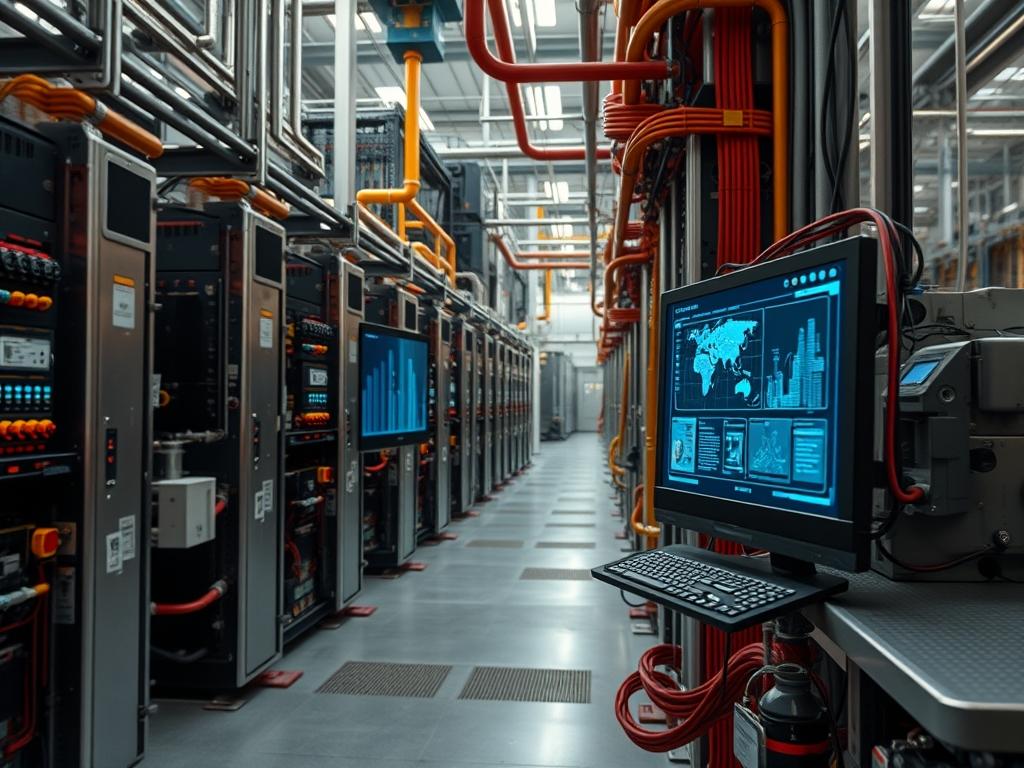
Wire Management Clips constitute the critical physical abstraction layer between high-density conductor runs and supporting structural frameworks. In deployments subject to direct solar irradiance, these components must manage the mechanical load of the cable plant while resisting photo-oxidation. Standard polymers without UV inhibitors experience cross-linking degradation, leading to brittleness and eventual catastrophic failure of the retention system. When these clips fail, cables are exposed to excessive mechanical tension, violating minimum bend radius specifications and inducing micro-fractures in copper or fiber cores. This structural failure directly impacts signal integrity, manifesting as increased Bit Error Rates (BER) or intermittent packet loss at the physical layer. By utilizing UV resistant wire management clips, engineers ensure the longevity of cable sheathing and maintain the dielectric properties of the transmission medium throughout its operational lifecycle. The integration of these hardware components is non-negotiable in outdoor telecommunications, renewable energy arrays, and rooftop data center cooling control systems where environmental stressors are constant.
Technical Specifications
| Parameter | Value |
|———–|——-|
| Material Composition | Polyamide 6.6 with Carbon Black or Stainless Steel 304/316 |
| UV Resistance Rating | UL 746C (F1) or equivalent UV stabilization additive |
| Operating Temperature | -40C to +105C (-40F to +221F) |
| Flammability Rating | UL 94 V-2 or V-0 |
| Tensile Strength | 50 lbs to 250 lbs (loop tensile strength) |
| Industry Standards | TIA-568-C, NFPA 70 (NEC) Article 300, RoHS |
| Chemical Tolerance | Resistant to oils, greases, and aliphatic hydrocarbons |
| Maximum Bundle Diameter | 10mm to 150mm (variable by clip model) |
| Environmental Exposure | Salt spray, high humidity, and direct solar radiation |
| Security Level | Physical Layer 1 (Retention and Path Redundancy) |
—
Configuration Protocol
Environment Prerequisites
Installation requires a comprehensive assessment of the physical environment. Surfaces must be cleared of oxidation or debris to ensure clip adhesion or mechanical fastening. Hardware selection must align with the specific cable diameter and weight of the total bundle. Engineers must verify that the supporting structure (racks, trays, or strut channels) is rated for the cumulative weight of the cables and clips. All tools, including tensioning guns and multimeters, must be calibrated. For networking applications, ensure that the cable runs do not bypass firestop requirements or exceed the maximum length specified by the Ethernet or Fiber standards in use.
Implementation Logic
The engineering rationale for using specific Wire Management Clips centers on mitigating the “Cold Flow” effect and thermal expansion. In outdoor or high-temp environments, cables expand and contract; clips must provide enough retention to prevent sag while allowing longitudinal movement to prevent sheath tearing. The architecture utilizes a distributed load model where clips are placed at regular intervals (typically 12 to 18 inches) to ensure the weight does not concentrate on a single point or connector. This protects the RJ45, LC, or DC connectors from mechanical stress. Furthermore, UV resistant clips prevent the dielectric breakdown of the cable jacket, which would otherwise lead to moisture ingress and signal attenuation.
—
Step By Step Execution
Component Selection and Sizing
Identify the total diameter of the cable bundle using a digital caliper. Select a clip size that accommodates the bundle without compressing the outer jacket of the cables. For Category 6A or Fiber optics, maintaining the cross-sectional geometry is vital for impedance matching and preventing mode dispersion.
System Note: Excess compression of the cable jacket can be detected using a Fluke DSX-8000 cable analyzer. Look for anomalies in the Return Loss (RL) and Next-End Crosstalk (NEXT) readings that indicate physical deformation at the clip point.
Surface Preparation and Mounting
Clean the mounting surface with isopropyl alcohol to remove contaminants. If using adhesive-backed clips, ensure the surface temperature is within the manufacturer-specified range for polymer bonding. For mechanical clips, pre-drill pilot holes into the frame or use edge-mount clips on the rail flanges.
System Note: On metal structures, ensure the clip material does not trigger galvanic corrosion. Use stainless steel or polymer clips on aluminum frames to avoid anodic reaction.
Sequential Routing and Tensioning
Lay the cables into the clips starting from the termination point (the patch panel or inverter) and moving toward the source. Use a calibrated tensioning tool (such as a Panduit GS2B) to secure the clips. The tension must be sufficient to prevent the cable from sliding vertically but loose enough to prevent “pinching” the internal conductors.
System Note: Verify the installation using an SNMP based environmental sensor to monitor the temperature near the cable bundle. High temperatures can soften the polymer clips, requiring a mid-summer tension check.
Bend Radius Verification
Inspect every corner and transition point. The bend radius must be at least four times the outer diameter for copper and ten to twenty times for fiber, depending on the specific glass type. Use a radius template to ensure consistency across the entire run.
System Note: A violation of the bend radius will show up as an increase in optical loss in db when measured with an OTDR (Optical Time-Domain Reflectometer).
Final Path Documentation
Label each clip cluster according to the infrastructure’s logical mapping. Log the installation date and material type into the Asset Management System (AMS).
System Note: Update the NetBox or Device42 instance with the physical path details, ensuring that the “Physical Layer” documentation reflects the actual routing of the conductors.
—
Dependency Fault Lines
Material Degradation and Photo-Oxidation
The primary failure mode in outdoor environments is the use of standard nylon clips instead of UV stabilized variants. Standard nylon molecules break down under UV-B radiation, leading to a loss of tensile strength.
– Root Cause: Improper procurement specifications or inventory mix-ups.
– Observable Symptoms: Discoloration (turning yellow or white) and brittleness; clips snapping under light touch.
– Verification Method: Perform a “bend test” on a sample clip; if it snaps rather than flexing, the material is compromised.
– Remediation: Replace all degraded clips with Carbon Black infused Polyamide 6.6 or stainless steel hardware.
Over-Tensioning and Signal Attenuation
Excessive force during the tensioning phase compresses the twisted pairs in networking cables.
– Root Cause: Manual installation without calibrated tension tools.
– Observable Symptoms: Dropped packets, “Link Flapping” logs in syslog, or reduced throughput.
– Verification Method: Run netstat -i to check for CRC errors or use a cable certifier to check for “Internal Crosstalk.”
– Remediation: Loosen the clips and re-verify the cable certification.
Thermal Expansion Mismatch
Cables and metal structures expand at different rates. If clips are too rigid or spaced too far apart, the expanding cable may bow or pull out of the clip.
– Root Cause: Failure to account for the Coefficient of Thermal Expansion (CTE).
– Observable Symptoms: Cables popping out of clips during peak solar hours; visible sagging.
– Verification Method: Visual inspection during highest and lowest temperature points of the day.
– Remediation: Install “sliding” clips or increase the frequency of support points.
—
Troubleshooting Matrix
| Fault Code / Symptom | Possible Cause | Diagnostic Command / Tool | Remediation Path |
|———————-|—————-|—————————|——————|
| Link State Down | Mechanical stress on port | show interface status | Relieve cable tension at the clip nearest the patch panel. |
| High CRC Errors | Cable compression | ifconfig (check errors) | Inspect clip for over-tightening; check for jacket deformation. |
| Excessive Sag | Clip failure or spacing | Visual inspection | Replace broken clips; reduce spacing to 12 inches. |
| High Optical Loss | Bend radius violation | OTDR trace | Re-route cable through clips to increase turn radius. |
| SNMP Trap: Temp Alert | Poor airflow in bundle | snmpwalk -v2c | Re-organize bundle into smaller groups using “spade” style clips. |
Diagnostic Execution Example
If a router reports interface flapping, check the kernel logs for physical layer events:
“`bash
journalctl -k | grep -i “eth0”
Look for “Link is Down” or “Speed/Duplex mismatch”
“`
If errors correlate with high-wind or high-temp periods, inspect the Wire Management Clips for mechanical stability. A loose clip may allow the cable to vibrate, causing intermittent contact at the SFP module or RJ45 jack.
—
Optimization And Hardening
Performance Optimization
To optimize throughput, organize cables by signal type. Keep high-voltage DC lines at least 6 inches away from data lines to prevent Electromagnetic Interference (EMI). Use clips that allow for air gaps between cables to prevent “Thermal Loading.” In high-density bundles, this air gap reduces the internal temperature of the bundle, maintaining the conductivity of the copper and preventing the insulation from reaching its glass transition temperature.
Security Hardening
Physical security is enhanced by using tamper-resistant clips. In areas accessible to the public, use stainless steel locking clips that require a specialized tool for removal. This prevents unauthorized “Man-in-the-Middle” physical taps or accidental disconnections. Isolate critical backup links in separate conduits secured by distinct clip paths to ensure physical redundancy.
Scaling Strategy
Design the clip layout for 50 percent growth. If the current run requires 10 cables, use clips rated for a 20-cable bundle. This horizontal scaling allows for future capacity upgrades without reworking the entire physical infrastructure. Maintain a standardized distance between clips across all racks to ensure a uniform appearance and predictable mechanical load.
—
Admin Desk
How do I identify if existing clips are UV resistant?
UV resistant polymer clips are typically black due to Carbon Black additives. Check for the UL (F1) mark on the clip body. If the clip is white or translucent and located outdoors, it is likely not UV resistant.
Can I use metal clips on fiber optic cables?
Yes, but you must ensure the clip has a smooth, deburred edge or a polymer coating. Sharp metal edges can cut through the thin fiber jacket, especially under vibration, leading to immediate signal loss and cable failure.
What is the ideal spacing for horizontal cable runs?
For most data and low-voltage applications, space clips every 12 to 18 inches. This prevents sagging that could put weight on terminations. High-density power cables may require closer spacing to manage the increased mass per linear foot.
How does over-tightening a clip affect CAT6A performance?
Over-tightening changes the distance between twisted pairs inside the cable. This alters the characteristic impedance, resulting in signal reflections (Return Loss). This is measurable as a failure during a standard TIA/EIA-568 certification test using a field analyzer.
What should I do if a clip breaks during winter?
Low temperatures make many polymers brittle. Replace the broken clip with one rated for low-temperature impact, such as a specialty weather-resilient acetal or a stainless steel clip. Always use a tensioning tool to avoid applying uneven manual force.