
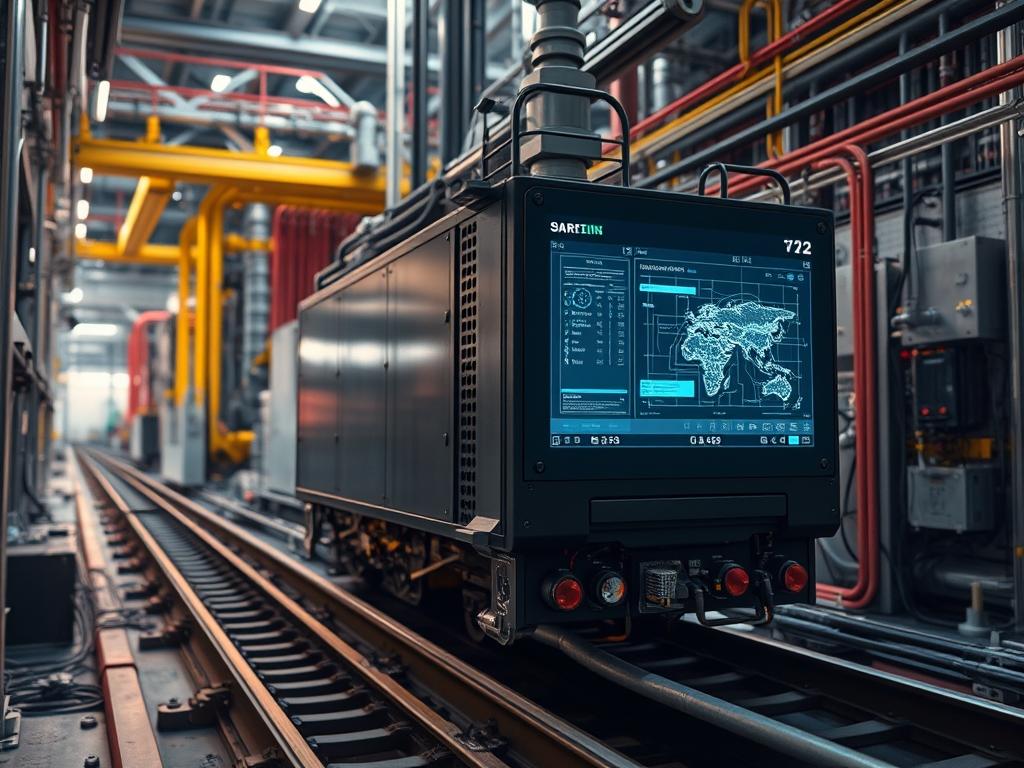
Shared Rail Mounting is a hardware optimization strategy that centralizes physical support structures and power distribution interfaces within high density computing environments. This methodology replaces discrete, single device rail kits with multi tenant carrier systems designed to host several compute, storage, or networking modules on a single pair of heavy duty chassis rails. By consolidating these mounting points, engineers can increase rack unit (RU) density by up to 30 percent while decreasing the per node cost of structural steel and power delivery components. The operational role of this logic extends beyond physical placement: it facilitates unified airflow management and simplifies the cabling architecture necessary for high speed interconnects. In hyper scale environments, the failure of a shared rail assembly can affect multiple nodes, making structural integrity and thermal dissipation critical considerations. The integration of these systems into the data center infrastructure management (DCIM) layer allows for real time monitoring of physical load and environmental telemetry, ensuring that the reduction in hardware redundancy does not compromise availability or Mean Time Between Failures (MTBF). This logic is particularly effective in edge computing and modular data centers where space is limited and mechanical efficiency is paramount.
| Parameter | Value |
| :— | :— |
| Structural Standard | EIA-310-E |
| Static Load Rating | 150kg to 500kg per rail pair |
| Material Composition | Cold rolled steel or Aluminum 6061-T6 |
| Monitoring Protocol | SNMP v3, Modbus TCP, IPMI 2.0 |
| Operating Temperature | -10C to +65C |
| Humidity Range | 5% to 95% non-condensing |
| Grounding Requirement | 12 AWG copper bonding minimum |
| Fastener Interface | M6 Cage Nuts or Square Hole Rails |
| Security Exposure | Physical access layer: Level 1 |
| Airflow Velocity | 150 to 450 LFM (Linear Feet per Minute) |
Environment Prerequisites
Implementation requires a standardized 19 inch or 23 inch four post rack system compliant with EIA-310-E. The floor loading capacity must support the concentrated weight of high density shared rail configurations, often exceeding 1,200kg per rack. To manage software side telemetry, an instance of NetBox or a similar DCIM tool is required for asset mapping. Ensure all managed nodes are equipped with IPMI or Redfish compliant baseboard management controllers (BMCs). Firmware on power distribution units (PDUs) must support per outlet switching and monitoring to isolate nodes sharing the same physical rail segment. Network prerequisites include a dedicated management VLAN for SNMP and Modbus traffic to prevent contention with production data planes.
Implementation Logic
The engineering rationale for Shared Rail Mounting centers on reducing the mechanical overhead found in traditional “one device, one rail” deployments. Traditional rail kits consume vertical space between 0.5 to 1.5 inches per unit for clearance; shared rails reclaim this space by using a vertical sled architecture or horizontal sub-chassis. This reduces the bill of materials (BOM) for each node and streamlines the cooling path. By grouping components, the system achieves higher thermal inertia, which can better absorb transient heat spikes. However, this creates a shared failure domain: a mechanical failure of the primary rail affects all hosted sub-nodes. Communication flows between the hardware layer and the management plane via daemonized services that aggregate sensor data from multiple nodes onto a single dashboard. This requires careful encapsulation of node-specific identifiers within the shared telemetry stream to maintain logical separation.
Vertical Alignment and Pitch Verification
Before physical installation, verify the vertical alignment using a Fluke laser level to ensure the front and rear rails are perfectly parallel. Misalignment causes binding during sled insertion, leading to mechanical stress on the internal connectors. Use a rack ruler to mark the specific RU positions for the heavy duty rail set.
“`bash
Verify the network connectivity of the DCIM agent for resource mapping
ping -c 4 dcim-management-node.local
Check current rack occupancy status via CLI
netbox-cli get racks –name “DC-01-R04”
“`
System Note: Always install the shared rail at the lowest available RU position to maintain a low center of gravity. Use M6 screws with a torque profile of 3.5 Newton-meters to prevent stripping the threads while ensuring a secure bond.
Chassis Sled Integration
Once the primary rails are secured, slide the multi-node chassis into the rail guides. The chassis acts as an intermediary layer, providing shared cooling fans and a common power backplane. Ensure the blind-mate connectors on the rear of the chassis align with the vertical PDU or the busbar.
“`bash
Poll the PDU for voltage stability after chassis insertion
snmpwalk -v 3 -l authPriv -u admin -a SHA -A pass1 -x AES -X pass2 192.168.10.50 .1.3.6.1.4.1.1718.3.2.1.1.5
“`
System Note: Most shared rail systems utilize a tool-less retention clip. Listen for an audible click and verify the safety latch is engaged. Failure to engage the latch can result in the chassis sliding out during maintenance on upper units.
Environmental Sensor Calibration
Configuring shared rails requires updated thermal thresholds because the proximity of nodes increases the risk of thermal shadowing. Use ipmitool to establish a baseline for ambient and intake temperatures across all sub-nodes.
“`bash
Extract temperature sensor data from all nodes in the shared enclosure
for ip in 192.168.10.{10..15}; do
ipmitool -H $ip -U admin -P password sdr type Temperature
done
“`
System Note: If temperature deltas between the top and bottom nodes exceed 5 degrees Celsius, adjust the PID controller logic in the shared fan tray to increase airflow at the upper registers.
Logic Plane Mapping
Update the system controller to recognize the new shared mounting topology. This involves mapping the physical slot IDs to logical hostnames. This is critical for automated provisioning systems like Ansible or Terraform.
“`python
Pseudo-logic for mapping shared rail slots in a management script
def map_slots(shared_rail_id, nodes):
mapping = {}
for i, node in enumerate(nodes):
mapping[f”SLOT_{i+1}”] = node
return mapping
config = map_slots(“RAIL-A1”, [“web-01”, “web-02”, “web-03”])
“`
System Note: Ensure the udev rules identify the physical slot location for disk drives and NICs to prevent mapping errors after a reboot or a “hot-swap” event.
Dependency Fault Lines
Cross-Threading and Mechanical Fatigue:
Using incorrect fastener types or over-torquing during installation can lead to cross-threading. This weakens the structural support of the shared rail.
- Symptoms: Rails feeling loose, difficulty sliding the chassis, or visible metal shavings.
- Verification: Inspect the M6 holes with a flashlight and check for circularity.
- Remediation: Use a thread chaser or replace the rail segment if deformation is detected.
Thermal Shadowing:
Shared rail systems often place nodes in close proximity, which can cause the exhaust of one component to pre-heat the intake of another.
- Symptoms: Consistent thermal alerts from specific nodes despite high fan speeds.
- Verification: Use a thermal camera or compare ipmitool sensor data across the vertical stack.
- Remediation: Install blanking panels in adjacent RUs and adjust fan curves to increase static pressure.
Grounding Loops:
Sharing a physical rail can create multiple paths to ground if bonding is not handled at a single point.
- Symptoms: Intermittent data corruption, “ghost” signals on industrial protocols like Modbus, or EMI in nearby sensitive equipment.
- Verification: Measure the potential difference between node chassis using a digital multimeter.
- Remediation: Ensure all nodes are bonded to a common ground busbar and use isolated mounting washers if necessary.
Troubleshooting Matrix
| Issue | Log/Error Source | Verification Command | Remediation |
| :— | :— | :— | :— |
| Power Overload | PDU Alarms / syslog | `grep “power limit exceeded” /var/log/syslog` | Rebalance nodes across PDU phases. |
| Fan Failure | SNMP Traps | `snmptrapd -f -Lo` | Replace centralized fan module immediately. |
| Unresponsive Node | ipmitool / Console | `ipmitool -H
| Chassis Vibration | smartctl | `smartctl -a /dev/sda | grep “Raw_Read_Error_Rate”` | Tighten rail mounting screws or check fan balance. |
| High Intake Temp | journalctl | `journalctl -u dcim-agent –since “1h ago”` | Check for blocked airflow or failed rack cooling. |
Example journalctl output for a thermal event:
`Jun 12 14:05:22 node-01 ipmid[1022]: Sensor “Inlet Temp” (0x01) reading 48C exceeds upper critical threshold.`
Performance Optimization
To maximize throughput in shared rail configurations, prioritize the placement of high-heat components near the primary airflow intake. Use ethtool to monitor packet loss that might be caused by vibration induced jitter in optical transceivers. Tune the kernel-space I/O scheduler to account for the shared backplane bandwidth:
“`bash
Configure the scheduler for low latency in shared environments
echo “deadline” > /sys/block/sda/queue/scheduler
“`
Security Hardening
Since multiple nodes share a physical chassis and rail, move all management traffic to an out of band (OOB) network. Implement iptables rules on the management gateway to restrict access to the BMC IPs. Use encrypted protocols for all telemetry; replace SNMP v2 with SNMP v3 (authPriv) and use HTTPS for Redfish APIs. Physical security is handled by locking the front and rear rack doors and using anti-tamper screws on the rail mounts themselves.
Scaling Strategy
Horizontal scaling in a shared rail environment involves adding additional chassis sleds rather than individual nodes. This requires pre-provisioning the rack with high capacity vertical busbars or 60A PDUs. Capacity planning should account for the aggregate power draw of a fully populated rail system to avoid tripping breakers during simultaneous node boot-ups (inrush current). Implement a staggered power-on delay in the PDU settings:
“`bash
Example command for setting PDU power-on delay (vendor specific)
pdu-setup –outlet 1 –delay 5
pdu-setup –outlet 2 –delay 10
“`
Admin Desk
How do I detect a bending rail before it fails?
Monitor the force required to slide the chassis out. If the pull weight increases, use a caliper to measure the distance between the front and rear rail faces at the top, middle, and bottom. Any deviation exceeding 2mm suggests structural warping.
Can I mix different vendor nodes on one shared rail?
Generally, no. Shared rail mounting logic usually relies on proprietary sled and backplane designs from a single manufacturer. Attempting to mix vendors will likely result in mechanical misalignment and potential damage to the high density power connectors on the backplane.
What is the impact of vibration in shared mounting?
Shared rails amplify vibrational resonance between adjacent nodes. This can lead to increased seek times on rotational HDD media or mechanical failure of poorly seated RAM modules. Use smartctl to monitor for escalating read error rates as a proxy for vibration.
How does this affect my cabling strategy?
It simplifies it. By consolidating nodes, you can use high density MPO/MTP fiber trunks and short DAC cables for top of rack (ToR) switching. This reduces cable weight on the rails, prevents sagging, and improves cooling airflow at the rear.
What is the fastest way to isolate a power fault?
Check the PDU outlet status via SNMP. If multiple nodes on a single rail are down, the fault is likely the shared power supply or the PDU branch circuit. If only one node is dark, the fault is the internal sled fuse.