
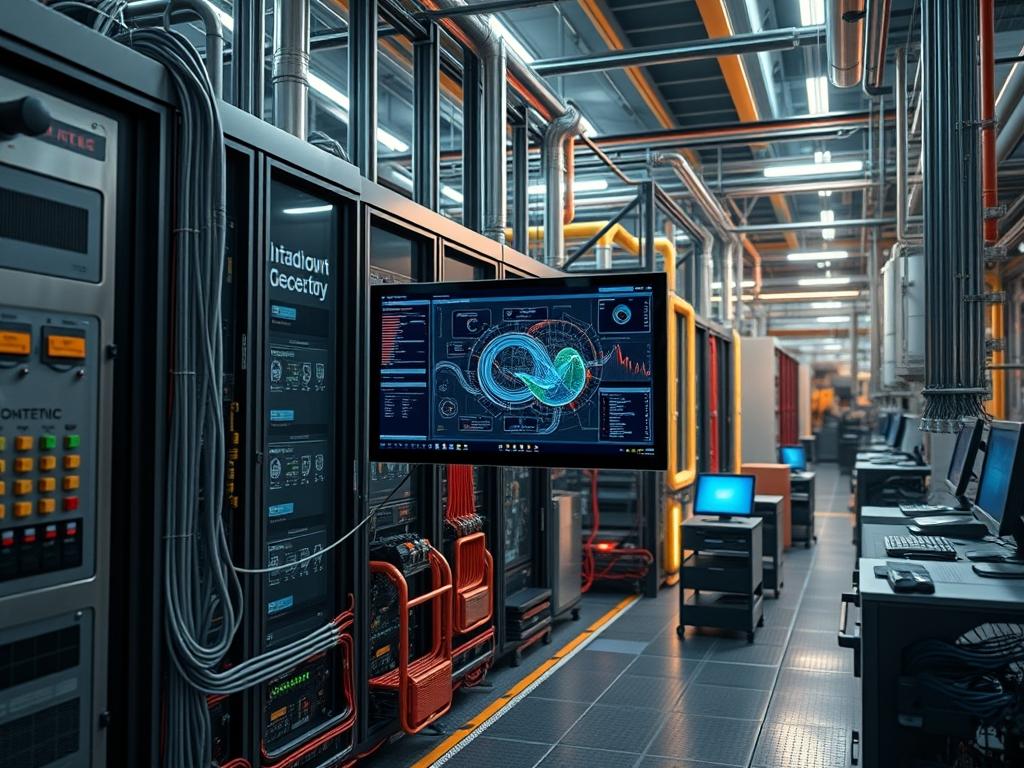
Top Down and Bottom Up mounting methodologies dictate the physical and logical distribution of hardware assets within standardized 19 inch or 23 inch enclosures. These methodologies directly influence cabinet center of gravity, airflow efficiency, and the cabling topology of a local area network. In high density environments, the selection of a mounting strategy responds to mechanical constraints and thermal stratification profiles. Bottom Up mounting is mandated for high mass compute nodes to prevent chassis instability and potential tip hazards. Conversely, Top Down mounting is frequently utilized for networking equipment, patch panels, and fiber enclosures to align with overhead cable conveyance systems. Misalignment of the mounting strategy with the environmental cooling logic can lead to recirculated exhaust air or excessive intake temperatures for equipment situated at the upper rack units. The integration layer involves the physical attachment to vertical mounting rails, the interface with Power Distribution Units (PDUs), and the logical mapping via Link Layer Discovery Protocol (LLDP) to correlate physical port location with rack position. Failure to optimize the mounting strategy results in increased vibration through the structural frame, higher failure rates of mechanical hard drives, and labor intensive maintenance workflows during hardware replacement cycles.
| Parameter | Value |
|———–|——-|
| Standard Rack Units (U) | 42U to 52U (Standard), 12U to 24U (Half) |
| Vertical Hole Spacing | 0.625 inch, 0.625 inch, 0.5 inch (EIA-310) |
| Max Static Load (Bottom Up) | 1,300 kg to 1,500 kg per rack |
| Max Static Load (Top Down) | Restricted by chassis center of gravity (COG) |
| Torque Specification | 2.5 Nm to 3.5 Nm for M6 screws |
| Thermal Threshold (Intake) | 18 degrees C to 27 degrees C (ASHRAE Class A1) |
| Grounding Impedance | Less than 0.1 ohms |
| Default Management Protocols | IPMI 2.0, SNMPv3, Redfish API |
| Security Exposure | Physical access to serial/USB ports |
| Power Density Support | 5 kW to 30 kW per cabinet |
Environment Prerequisites
Deployment requires a leveled surface with a floor load rating exceeding the aggregate weight of the populated cabinet. Installers must confirm the availability of square hole or threaded hole vertical rails compatible with the server rail kits. Electrical infrastructure must provide redundant A and B power feeds via L6-30P or similar high amperage connectors. Software dependencies include a localized instance of a Data Center Infrastructure Management (DCIM) suite to track asset placement and power consumption. Ensure all technicians possess calibrated torque drivers and grounding wrist straps connected to the common rack ground.
Implementation Logic
The engineering rationale for Bottom Up mounting centers on gravitational stability and thermal management. By placing the heaviest components, such as Uninterruptible Power Supplies (UPS) and multi-node compute chassis, at the lowest rack units, the risk of cabinet tipping during maintenance or seismic events is minimized. From a thermal perspective, this configuration allows the coolest air at the floor level to reach the highest density components first.
Top Down mounting logic is primarily reserved for communication infrastructure. Patch panels and top of rack (ToR) switches are positioned at the 40U to 42U range to facilitate direct entry for fiber and copper trunks entering from overhead trays. This reduces the need for vertical cable management spanning the entire height of the rack, thereby reducing airflow obstruction. The logical initialization of these services follows a dependency chain where the ToR switches must be active and stateful before the compute nodes attempt PXE booting or management controller initialization.
Structural Stability Verification
Inspect the rack leveling feet and ensure the anti-tip bar is extended if the cabinet is not bolted to the floor. Use a digital level to verify the vertical alignment of the IEC 60297-3-100 compliant rails.
System Note: Physical instability causes rail bind, which prevents the extension of server slides and increases the mechanical stress on the chassis ears. Use a Fluke 1732 or similar power logger to verify neutral-to-ground voltage is below 1V.
Rail Installation and Cage Nut Alignment
Install the sliding or static rails starting from the bottom RU for compute-heavy builds. For Top Down networking builds, start at the specified RU marked in the site design document. Ensure cage nuts are seated securely in the square holes.
“`bash
Verify cooling fan speeds and intake temps after mounting first unit
ipmitool -H
“`
System Note: Improperly seated cage nuts or misaligned rails lead to “unit creep” where subsequent devices do not fit correctly in their allocated 1.75 inch increments.
PDU Phase Mapping
Connect the hardware to the PDU outlets following a balanced phase distribution model. For Bottom Up deployments, use the lower PDU banks to reduce cable slack. For Top Down, use the upper banks.
“`bash
Check PDU amp draw via SNMP to ensure phase balance
snmpwalk -v 3 -l authPriv -u
“`
System Note: Unbalanced phases on a three-phase PDU can lead to harmonic distortion and premature tripping of circuit breakers even when the total wattage is within limits.
Logical Service Initialization
Configure the management network to recognize the new hardware based on its physical location. Use LLDP to confirm the switch port is mapped to the correct geographic rack unit.
“`bash
Confirm LLDP neighbors on ToR switch
show lldp neighbors detail
“`
System Note: The output must match the cable schedule. Discrepancies indicate that a Bottom Up cable run may have been crossed with a Top Down run, complicating the troubleshooting of the data plane.
Dependency Fault Lines
1. Center of Gravity (COG) Shift: Occurs when heavy storage arrays are mounted in the Top Down style without floor anchoring. Observable symptoms include cabinet bowing and difficulty opening the front door. Remediation requires relocating heavy assets to the lowest available RU.
2. Thermal Recirculation: Resulting from missing blanking panels in a Bottom Up configuration. Hot exhaust air flows back to the front of the rack, causing intake temperatures at the top of the rack to exceed 35 degrees C. Verification is performed using thermal imaging or internal BMC sensors.
3. Cable Stress/Signal Attenuation: In Top Down networking, the weight of copper bundles can pull on connectors if not supported. This leads to intermittent CRC errors or physical link flaps. Remediation involves installing horizontal lace bars for strain relief.
4. PDU Cold-Start Inrush: When a Top Down rack is initialized, if all servers are set to power-on after loss of AC, the combined inrush current may trip the branch circuit. Use the PDU controller to stagger power-on delays by 5 to 10 seconds per outlet.
Troubleshooting Matrix
| Symptom | Fault Code / Log Entry | Verification Method | Remediation |
|———|————————-|———————|————-|
| High Intake Temp | `Sensor: Inlet Temp (0x01) Upper Non-Critical` | `ipmitool sdr` | Install blanking panels in open RUs. |
| Rail Bind | `Mechanical clicking/resistance` | Physical inspection of rail alignment. | Re-square vertical rails; check level. |
| CRC Errors | `Interface Ethernet1/1: input errors, CRC` | `show interface` on ToR switch. | Inspect cable tension and bend radius. |
| Phase Load Alarm | `SNMP Trap: Bank 1 Overload Critical` | Check PDU LCD or Web UI. | Redistribute power cords across phases. |
| Grounding Fault | `N-G voltage > 2.0V` | Multimeter test at PDU ground. | Verify rack-to-busbar bonding strap. |
Performance Optimization
To maximize throughput and minimize latency in Top Down configurations, utilize short-reach Direct Attach Copper (DAC) cables for connections between the ToR switch and servers. This reduces the signal processing overhead found in optical transceivers. For Bottom Up configurations, prioritize heat dissipation by situating the most power-hungry nodes at the bottom where the highest pressure of the cold aisle plenum exists. Adjust fan curves via the BMC to maintain a delta-T (exhaust minus intake) of approximately 11 degrees C to 17 degrees C.
Security Hardening
Physical security is paramount regardless of mounting orientation. Ensure all unused ports (USB, Serial, VGA) are capped with physical locks. Implement 802.1X port security on all switch interfaces to prevent unauthorized devices from joining the network if an intruder gains physical access to a Top Down patch panel. Configure the management lane to use a dedicated Out of Band (OOB) network, isolating it from the data plane.
Scaling Strategy
Horizontal scaling should follow the established mounting methodology to maintain a uniform documentation and maintenance pattern across the data center. When adding a new rack to a cluster, replicate the PDU phase mapping and cable routing of existing cabinets to ensure predictable failure domains. High availability is achieved by splitting redundant power supplies across two independent PDUs (A/B) and ensuring that the top-mounted networking infrastructure is also redundant (ToR 1 and ToR 2) with diverse paths to the core.
Admin Desk
How do I choose between Top Down and Bottom Up?
Base the decision on component weight and cabling entry points. Use Bottom Up for compute density to ensure mechanical safety. Use Top Down for patch panels and networking when cable trays are located overhead to minimize vertical cable congestion.
What is the risk of mixing methodologies?
Mixing methodologies within a single rack complicates airflow and cable management. It creates “cable jungles” where top-mounted server cables cross bottom-mounted networking cables, blocking exhaust paths and increasing the Mean Time To Repair (MTTR) during hardware swaps.
How does mounting affect thermal management?
Heat rises. If you mount high wattage compute at the top (Top Down), they receive air that has been pre-heated by lower equipment. Bottom Up mounting ensures the densest thermal loads receive the coolest air directly from the floor plenum.
Wait, what if my rack has no floor airflow?
In racks without floor plenums (slab floors), use Bottom Up for stability but prioritize active fan trays at the top of the cabinet to accelerate the evacuation of the hot air mass that naturally accumulates in the upper RU.
Can I convert a Top Down rack to Bottom Up?
Conversion is high risk. You must completely depopulate the rack, as moving heavy components from the top to bottom significantly shifts the center of gravity, risking a cabinet collapse or tip-over if handled while partially loaded.