
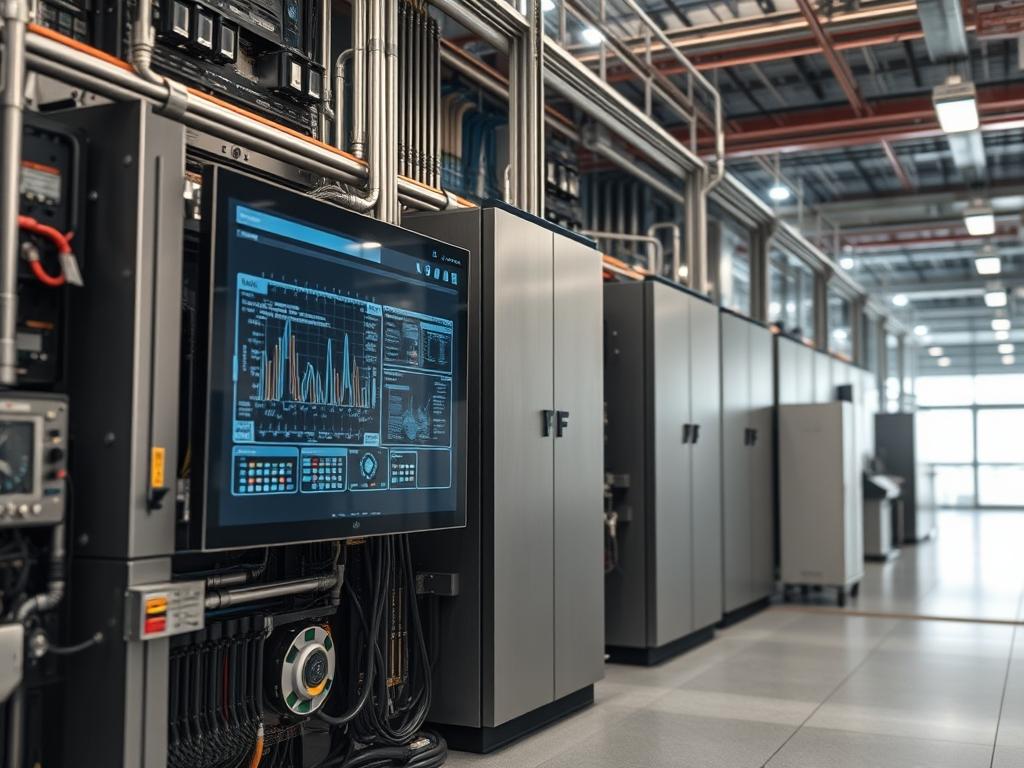
Wall Mounting Clearance defines the spatial requirements between hardware chassis surfaces and adjacent physical boundaries to ensure thermal stability, maintenance accessibility, and structural integrity. In high density deployments where compute or networking hardware is relocated from traditional floor racks to vertical wall mounts, the reduction in ambient air volume necessitates precise clearance metrics to prevent thermal recirculation. This physical layer parameter directly impacts the Mean Time Between Failure (MTBF) by maintaining the operational environment within the manufacturer specified thermal envelope. Failure to adhere to these clearances results in heat entrapment, where the exhaust air from the power supply units (PSUs) or CPU heat sinks is re-ingested into the intake, leading to rapid thermal runaway and subsequent kernel throttling or hard shutdown. Furthermore, Wall Mounting Clearance facilitates necessary bend radii for copper and fiber cabling, preventing signal attenuation and physical layer packet loss. In complex infrastructure environments, this clearance acts as a critical buffer for fire safety compliance and electrical code adherence, specifically concerning working space requirements for energized equipment.
Technical Specifications
| Parameter | Value |
|———–|——-|
| Front Clearance (Intake/Maintenance) | 36 inches (914 mm) minimum |
| Rear Clearance (Exhaust/Cabling) | 6 inches (152 mm) minimum |
| Side Clearance (Passive Cooling) | 2 to 4 inches (50 to 101 mm) |
| Vertical Separation (Stacked Mounts) | 1U to 2U air gap recommended |
| Operating Temperature Range | 10 to 35 degrees C (50 to 95 degrees F) |
| Standards Compliance | TIA-942, NFPA 70 (NEC 110.26), EIA-310-E |
| Supported Protocols | SNMP (v2c/v3) for thermal monitoring, IPMI 2.0 |
| Maximum Load Bearing (Standard Studs) | 50 lbs (22.7 kg) per RU on 16 inch centers |
| Relative Humidity (Non-condensing) | 10 percent to 80 percent |
| Electrical Working Space Depth | 36 inches to 48 inches based on voltage |
Configuration Protocol
Environment Prerequisites
Successful implementation requires a structural assessment of the mounting surface. If mounting to drywall, a 3/4 inch A-C grade fire-retardant plywood backboard must be secured to at least two structural studs using 1/4 inch x 3 inch lag screws. Electrical prerequisites include a dedicated NEMA 5-15R or 5-20R outlet within 6 feet of the mounting location to avoid the use of extension cords. Software prerequisites include a functional Network Management System (NMS) capable of polling SNMP traps or an IPMI controller with configured threshold alerts for inlet and exhaust temperatures. Firmware must be updated to the latest stable version to ensure accurate sensor calibration and fan speed control logic.
Implementation Logic
The engineering rationale for specified clearances centers on convective heat transfer. Standard rack-mount equipment is engineered for front-to-back airflow. When mounted vertically on a wall, the exhaust path is often restricted by the ceiling or the wall itself. By enforcing a minimum 6 inch rear clearance, the system creates a low-pressure zone that allows exhaust air to dissipate rather than stagnate. The 36 inch front clearance is derived from NFPA 70 Article 110.26, which mandates sufficient room for technicians to perform “live” diagnostic work without obstruction. This architecture mitigates failure domains where a single overheated unit triggers a thermal shutdown across adjacent hardware through proximity conduction. The dependency chain involves the Facility HVAC, which must provide sufficient CFM (Cubic Feet per Minute) to replace the air volume within the clearance zone every 60 to 90 seconds.
Step By Step Execution
Structural Verification and Backboard Installation
Verify the location of load-bearing members using a deep-scanning sensor. If the wall is constructed with metal studs, specialized toggle bolts with a high shear rating are mandatory. Mount the fire-rated plywood backboard and verify its level using a precision spirit level.
System Note:
Failure to use a backboard concentrates the mechanical stress on small areas of the drywall, leading to material fatigue and potential catastrophic collapse of the mounting rails. Use a Fluke 62 Max infrared thermometer to establish a baseline wall temperature before mounting.
Thermal Zone Mapping and Airflow Pathing
Identify the intake and exhaust orientation of the hardware. For vertical wall mounts, ensure the intake is positioned at the lower end of the chassis to utilize natural convection, where cooler air resides near the floor and warmer air rises.
System Note:
Check the direction of airflow using a smoke pen or a localized anemometer. If the unit uses side-to-side cooling, maintain at least 4 inches of clearance on both the intake and exhaust sides to prevent thermal choking. Use ipmitool sdr list to verify that current sensor readings match the physical environmental data.
Cabinet or Rail Attachment
Secure the mounting rails to the backboard or studs using Grade 5 steel hardware. Ensure that the mounting depth allows for the minimum 6 inch rear clearance between the back of the equipment and the wall surface.
System Note:
Verify bolt torque settings. Use netstat -i or similar network diagnostic tools once the unit is powered to ensure no physical vibrations from the fans are causing intermittent connectivity issues due to loose transceiver seating.
Cable Management and Bend Radius Enforcement
Install D-rings or vertical cable managers to support the weight of the copper and fiber runs. Maintain a minimum bend radius of 4 times the cable diameter for UTP and 10 times for fiber optics.
System Note:
Excessive cable density within the clearance zone can block airflow. Use SNMP to monitor the tempSensorTable (OID .1.3.6.1.4.1.9.9.13.1.3.1.3) to detect if cable congestion is causing localized heat buildup.
Threshold Configuration and Stress Testing
Define the high-temperature thresholds in the device controller. Set a warning alert at 38 degrees C and a critical shutdown at 45 degrees C for the intake air sensor.
System Note:
Execute a CPU stress test (using stress-ng or similar) for 30 minutes while monitoring the journalctl output for “Thermal throttling” messages. This validates that the Wall Mounting Clearance is sufficient for peak load thermal dissipation.
Dependency Fault Lines
Wall Mounting Clearance relies on the interplay between mechanical, thermal, and electrical subsystems. A failure in one domain directly impacts the efficacy of the clearance.
1. Thermal Recirculation:
Root Cause: Rear clearance below 4 inches or improper side-shrouding.
Symptoms: Rapidly increasing fan RPM, SNMP traps for high inlet temperature, and 10 percent to 15 percent drop in CPU clock speed.
Verification: Use an infrared camera (FLIR) to visualize the exhaust plume.
Remediation: Increase rear offset using standoffs or install a physical baffle to redirect exhaust.
2. Signal Attenuation:
Root Cause: Poor clearance leading to forced cable bends beyond the specified radius.
Symptoms: Incrementing CRC errors on the switch port, high packet retransmission rates.
Verification: Inspect the interface statistics via show interfaces or ifconfig.
Remediation: Install an offset rack mount that provides an additional 3 to 5 inches of front-depth clearance.
3. Structural Shear:
Root Cause: Insufficient mounting hardware or overloading the RU capacity.
Symptoms: Visible sagging of the rack rails, wall cracking, or misalignment of the chassis.
Verification: Measure the gap between the wall and the rail at the top and bottom.
Remediation: Reduce the total weight load or reinforce the wall with an internal cross-member.
4. EMI Interference:
Root Cause: Mounting high-voltage power lines within 2 inches of data cabling clearance zones.
Symptoms: Intermittent frame loss or high latency on 10Gbps copper links.
Verification: Use a cable analyzer to test for Near-End Crosstalk (NEXT).
Remediation: Maintain a 12 inch separation between power and data or use shielded Cat6a/7 cabling.
Troubleshooting Matrix
| Symptom | Fault Code / Log Message | Diagnostic Tool | Verification Command |
|———|————————–|—————–|———————-|
| Overheating | “Sensor ‘Inlet Temp’ above threshold” | IPMI | `ipmitool sdr list` |
| Fan Failure | “Fan redundancy lost” | syslog | `journalctl -u fan-ctrl` |
| Link Flap | “IFNET: Link down/up” | SNMP Trap | `show logging` |
| Chassis Sag | N/A (Physical) | Level / Tape | Visual inspection |
| Throttling | “CPU1: Thermal control activated” | dmesg | `dmesg \| grep -i thermal` |
A recurring “Physical Address Error” or “PCIe Correctable Error” in the system logs often indicates that thermal expansion from restricted clearance is causing slight seating issues for internal cards. Check the syslog for hardware errors following a high-temperature event. If SNMP OID .1.3.6.1.4.1.2021.11.11.0 (system idle) shows unexplained drops during high ambient temp, thermal throttling is the likely culprit.
Optimization And Hardening
Performance Optimization
To maximize throughput and minimize thermal inertia, optimize the airflow path within the clearance zone. Use blanking panels in open rack units to prevent localized recirculation. Adjust the fan curve in the BIOS or via ipmitool raw commands to increase RPM earlier in the thermal curve, compensating for the lack of a cold-aisle/hot-aisle containment system. Deploying a lattice of sensors around the clearance perimeter allows for real-time monitoring of the Delta T across the chassis.
Security Hardening
Physical wall mounts are susceptible to unauthorized access. Ensure all mounting hardware uses tamper-resistant Torx or hex security bits. Implement a physical lock on the rack door if using a wall-mount cabinet. Disable unused hardware ports and use iptables or a similar firewall to restrict access to the SNMP and IPMI interfaces to a specific management VLAN. This prevents unauthorized users from altering thermal thresholds or fan speeds.
Scaling Strategy
When expanding from a single wall-mounted unit to a cluster, use a horizontal staggered layout to prevent the exhaust of the lower units from feeding the intakes of the upper units. If vertical stacking is necessary, maintain a 2U buffer between chassis. For horizontal expansion, ensure that the power distribution units (PDUs) are mounted at the side to prevent them from obstructing the rear exhaust clearance of the primary hardware.
Admin Desk
How do I calculate the minimum rear clearance for a high-wattage UPS?
Calculate the total BTU/hr output. For every 1000 BTU, add 1 inch of rear clearance beyond the 6 inch baseline. Ensure the SNMP thermal traps are calibrated for the higher heat output of battery charging cycles.
The wall is too thin for lag screws. How should I mount the equipment?
Install a floor-to-ceiling unistrut frame bolted to the floor and the ceiling joists. This creates an artificial wall surface that maintains the required clearance without relying on the structural integrity of a thin or hollow wall partition.
How do I verify if my wall mounting clearance is causing packet loss?
Run `mtr -n
What is the best way to handle large bundles of Cat6a in a wall mount?
Use a vertical manager that offsets the cables at least 3 inches from the equipment intake. Secure the bundle with hook-and-loop fasteners to prevent concentrated weight from pulling on the ports, which can impede airflow and clearance.
Can I mount hardware flush against a ceiling if I have front clearance?
No. Heat pools at the ceiling level without an exhaust path. Maintain at least 12 inches of clearance from the ceiling to ensure the hot air can dissipate into the room volume or be captured by the HVAC return air ducts.