
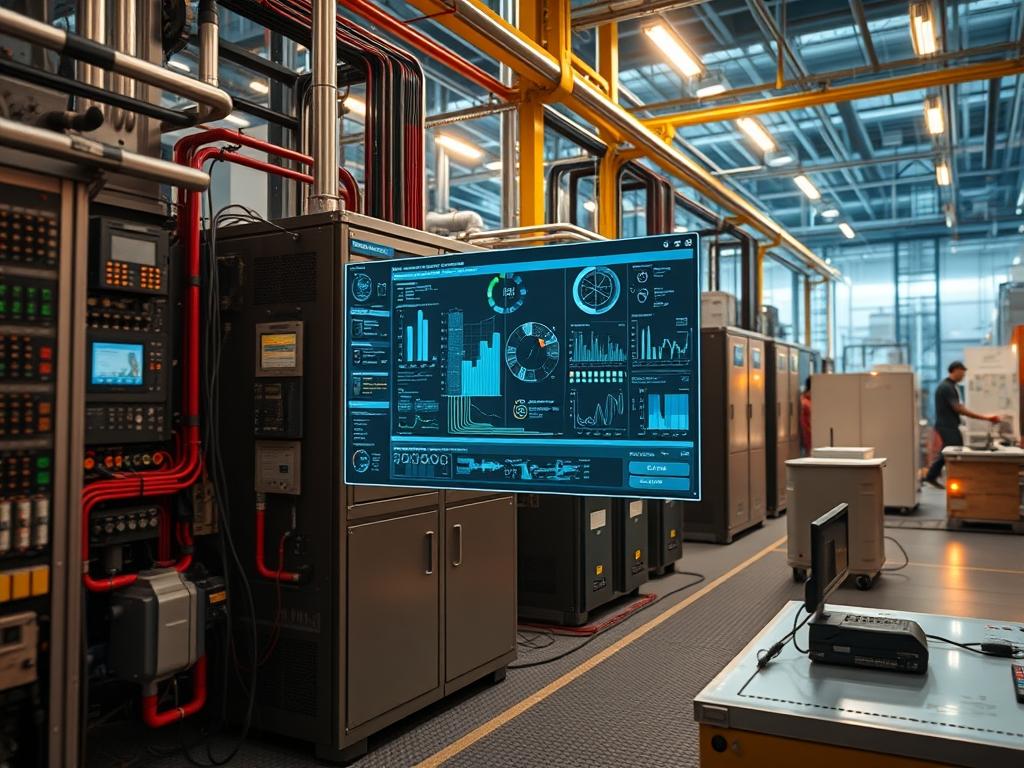
Inverter Self Consumption logic governs the bidirectional energy flow between local generation sources, energy storage systems, and the utility interface. The primary objective of this architecture is the prioritization of locally generated power to satisfy onsite demand, followed by the redirection of surplus energy into electrochemical storage, minimizing reliance on the external transmission network. In critical infrastructure environments, such as remote data centers or industrial processing plants, this logic functions as an automated balancing layer that stabilizes the DC bus against transient load spikes. The system operates by monitoring the common point of coupling via high precision current transformers and energy meters, providing real time feedback to the inverter control board. This hardware loop allows for millisecond scale adjustments to the Pulse Width Modulation frequency used in the DC to AC conversion process. Failure to implement effective self consumption logic results in excessive grid export, which often incurs regulatory penalties or reduces system efficiency due to transmission losses. Furthermore, the integration layer frequently connects these power assets to an Industrial Control System through standard protocols like Modbus TCP, enabling granular oversight of state of charge, thermal velocity, and bus voltage stability.
| Parameter | Value |
| :— | :— |
| Operating Frequency | 50Hz / 60Hz (Software Selectable) |
| Communication Protocols | Modbus RTU, Modbus TCP, SunSpec, MQTT |
| Default Service Ports | 502 (Modbus), 1883 (MQTT), 80/443 (API) |
| Operating Voltage Range | 200V to 1000V DC (Input), 230/400V AC (Output) |
| System Sampling Rate | 100ms to 1s (Adjustable) |
| Environmental Tolerance | -25C to +60C (Derating above 45C) |
| Protection Rating | IP65 for Inverter, IP20 for Internal Logic Modules |
| Harmonic Distortion (THDi) | < 3 percent at rated power |
| Security Standards | TLS 1.2/1.3 for Cloud Uplink, AES-256 for local encryption |
| Hardware Profile | ARM Cortex-M4 or high performance DSP |
| Isolation | Galvanic isolation between DC and AC stages |
Environment Prerequisites
Successful deployment of Inverter Self Consumption logic requires a firmware version compatible with the SunSpec Common Model. Most industrial inverters require firmware version 3.4.0 or higher to support the dynamic adjusting of curtailment limits. The physical infrastructure must include a bi-directional smart meter, such as a DTSU666 or Acrel3000, installed at the primary service entrance to track export and import flows. Physical connectivity between the meter and the inverter logic board must be established using shielded twisted pair cabling for RS485 communication, ensuring the termination resistor (120 ohms) is engaged on the final device in the bus. Network prerequisites include an isolated VLAN for power electronics telemetry if using Modbus TCP, and a local NTP server to synchronize timestamps for event logging and revenue grade metering software.
Implementation Logic
The engineering rationale for this architecture centers on the minimization of the Power Factor error and the prevention of grid saturation. The controller executes a continuous feedback loop where it calculates the net power at the grid boundary. If generated power exceeds the load, the controller initiates a charge command to the battery management system. The logic is programmed with a priority stack: Load satisfaction takes precedence, followed by Battery Charging, and finally Grid Export as a last resort. This sequence is maintained by the daemonized service on the local gateway, which translates raw register values from the inverter into actionable state changes. The encapsulation of these commands within Modbus packets ensures interoperability across different hardware vendors. Load handling behavior is tuned using a PID controller within the inverter firmware to prevent oscillations when high wattage motors or compressors cycle on and off, which could otherwise trigger a rapid and damaging charge/discharge cycle.
Hardware Metering and CT Calibration
The precision of the self consumption logic depends entirely on the accuracy of the current transformers (CTs) at the point of common coupling. Incorrect orientation of a CT clamp will lead to a sign reversal in the power calculation, causing the inverter to export energy when it should be charging or vice-versa.
1. Install the CT clamps on the primary sub-feeder lines, ensuring the arrow on the clamp points toward the load (away from the utility transformer).
2. Verify the physical connection to the Energy Meter (e.g., EASTRON SDM630).
3. Access the meter configuration menu and set the CT ratio to match the hardware (e.g., 100:5 or 3000:1).
4. Use a Fluke 376 FC clamp meter to verify that the amperage reported by the smart meter matches the actual physical current on each phase.
System Note: Discrepancies in CT calibration lead to “Ghost Loads,” where the system attempts to compensate for non-existent energy flows, potentially draining storage assets during peak generation hours.
Modbus Communication Mapping
The inverter must be configured to poll the energy meter at a high frequency to maintain real time balance. This involves mapping the specific registers that represent Active Power, Reactive Power, and Grid Frequency.
1. Connect to the inverter via the local service port using a laptop and a serial-to-USB adapter.
2. Initialize the modpoll utility to scan the RS485 bus.
3. Identify the slave ID of the energy meter (default is usually 1 or 2).
4. Input the register addresses for Three Phase Total Active Power (typically register 30053 or 40012 depending on the manufacturer).
5. Set the baud rate to 9600 or 19200, with parity set to “None” and 1 stop bit.
System Note: Using a low quality RS485 adapter without optical isolation can introduce ground loops, leading to intermittent packet loss and the failure of the self consumption logic to react to sudden load changes.
Logical Threshold Configuration
Once communication is established, the internal logic of the inverter must be set to “Self-Consumption Mode” rather than “Feed-in Priority.”
1. Access the inverter management interface (web UI or CLI via SSH).
2. Navigate to the Energy Management or Power Control section.
3. Set the Operation Mode variable to Self_Consumption.
4. Define the Maximum Feed-In Power to 0W if zero-export is required.
5. Configure the Storage Reserve (SOC) to 20 percent to ensure the battery is not fully depleted by local consumption, maintaining a buffer for grid outages.
System Note: Setting the Maximum Feed-In Power to a negative value is impossible in most systems; ensure the logic uses 0 as the hard floor to prevent inadvertent back-feeding of the grid.
Integration with Local Telemetry
To monitor the efficiency of the self consumption logic, the inverter data must be pushed to a local broker for analysis.
1. Configure the MQTT client on the inverter gateway to point to a local Mosquitto broker.
2. Define the topic structure as site/inverter/telemetry/powerflow.
3. Use systemctl restart energy-gateway.service to apply the changes.
4. Verify the payload using mosquitto_sub -t site/inverter/#.
System Note: Telemetry payloads should be formatted in JSON for ease of parsing by higher level Building Management Systems, ensuring each data point includes a high resolution timestamp.
Permission and Addressing Conflicts
A common deployment failure occurs when two devices on the RS485 bus share the same Slave ID. This creates a collision on the physical layer, resulting in “CRC Error” or “Timeout” messages in the journalctl logs.
– Root Cause: Factory default settings often assign ID 1 to all meters and inverters.
– Symptoms: The inverter display shows “Meter Communication Loss” and fails to throttle output.
– Verification: Use a Modbus scanner to ping each address on the bus individually.
– Remediation: Manually reassign unique IDs to each device through their respective local interfaces.
Signal Attenuation and Interference
Long cable runs between the point of entry meter and the inverter can lead to signal degradation, especially in industrial settings with high electromagnetic interference.
– Root Cause: Use of unshielded cable or lack of termination resistors.
– Symptoms: High packet loss in the Modbus traffic; the self consumption logic becomes “laggy,” overshooting or undershooting the required power output.
– Verification: Measure the resistance across the Data+ and Data- lines; it should be approximately 60 ohms (two 120 ohm resistors in parallel).
– Remediation: Replace wiring with Cat6 STP and ensure the shield is grounded at only one end to prevent ground loops.
| Event / Error | Fault Code | Log Source | Diagnostic Action |
| :— | :— | :— | :— |
| Meter Comm Failure | F01 / E102 | syslog | Check RS485 polarity and Slave ID mapping |
| Reverse Power Flow | ALM304 | inverter-cli | Verify CT orientation and phase sequence |
| Battery SOC Low | BATT_05 | BMS-service | Check discharge limits and self-consumption priority |
| High THD Alarm | GRD_HARM | power-monitor | Inspect for non-linear loads on the local bus |
| Relay Stuck | HW_ERR_09 | dmesg | Physical inspection of the AC contactor |
When auditing the journalctl -u energy-manager output, look for entries such as “Grid power positive but inverter idling.” This indicates the logic is not correctly interpreting the meter data. If the log shows “Modbus Timeout,” verify the physical connection. If the SNMP trap “powerConsumptionLogicError” triggers, check the internal logic variables for a conflict between “Time of Use” settings and “Self Consumption” modes.
Performance Optimization
To reduce latency in the feedback loop, the sampling interval of the energy meter should be synchronized with the inverter’s local control frequency. Tuning the PID coefficients (Proportional, Integral, Derivative) in the inverter’s firmware can reduce “hunting” behavior, where the system over-corrects for minor load fluctuations. Effective thermal management also plays a role; ensure that the inverter’s cooling fans are configured to activate before the internal bridge reaches its thermal derating point, as reduced throughput affects the ability to meet high local demand.
Security Hardening
The communication between the energy meter and the inverter must be isolated from the general corporate network. Use a dedicated management VLAN and implement stateful inspection on the firewall to allow only Modbus TCP traffic between authorized IP addresses. If the inverter requires a cloud connection for firmware updates, use a daemonized proxy service to handle the connection, ensuring that no direct inbound access to the inverter’s control registers is permitted from the internet. Disable all unnecessary services like Telnet or unencrypted HTTP.
Scaling Strategy
When expanding a microgrid, horizontal scaling of inverters is more effective than adding a single large unit. This provides redundancy; if one unit fails, the remaining inverters continue to manage self consumption for a portion of the load. In a multi-inverter setup, designate one unit as the “Master” responsible for communicating with the grid meter. The Master then distributes the required power commands to the “Slave” units via a high speed CAN bus or dedicated Ethernet link. This ensures that the entire cluster acts as a single cohesive asset relative to the grid interface.
How do I verify if the RS485 bus is congested?
Use cat /proc/ttyS0 to monitor serial buffer errors. If the packet error rate exceeds 2 percent, check for electrical noise or reduce the polling frequency of non-essential registers like “Inverter Temperature” or “Daily Energy Total.”
Why is my battery not discharging during high load?
Check the Minimum SOC and Discharge Depth settings. If the battery is at its floor, or if the “Force Charge” command is active via a grid scheduler, the self consumption logic is overridden to protect battery chemistry.
Can I run self-consumption without an internet connection?
Yes. The logic is processed locally on the inverter controller. An internet connection is only required for remote monitoring and firmware updates. Physical RS485 or local Ethernet connectivity to the meter is the only hard requirement.
What happens if the energy meter fails?
The inverter will default to a “Safe State,” which usually involves cutting all export to the grid and potentially limiting generation to a fixed low percentage to prevent over-voltage conditions on the local bus until the meter is restored.
How do I troubleshoot a phase-mismatch error?
Verify that Phase L1, L2, and L3 from the grid match the inverter’s AC terminals and the meter’s voltage sensing leads. Use a phase rotation meter to ensure the sequence is consistent across all three measurement points.