
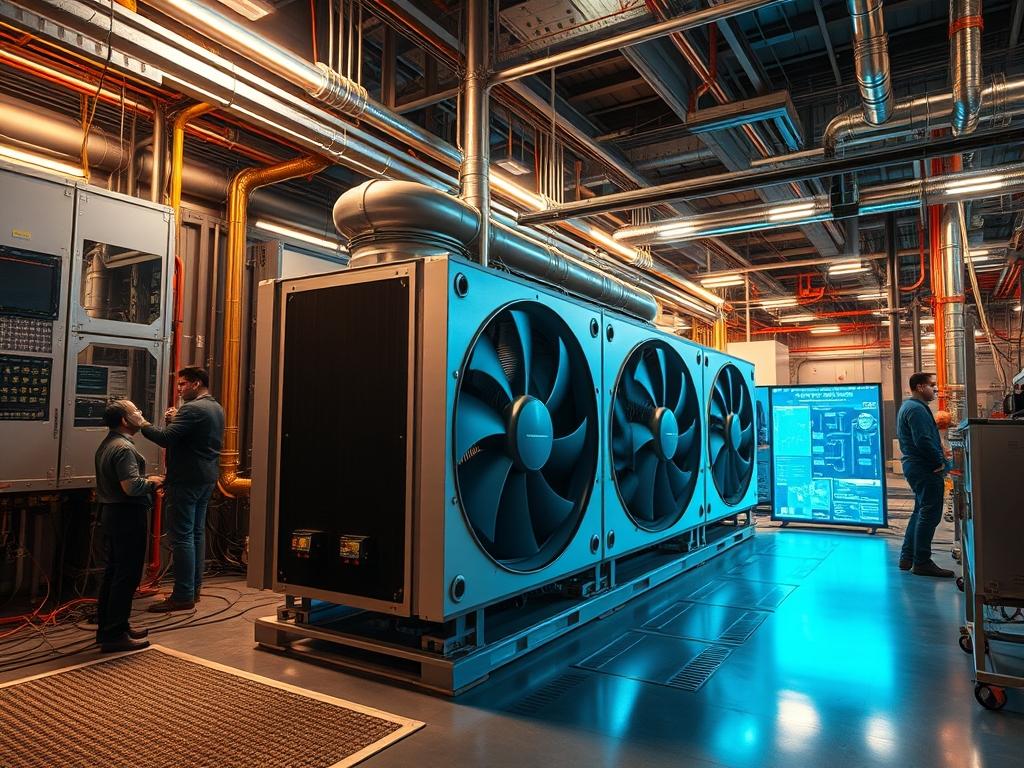
Thermal management in embedded and industrial controllers dictates the reliability of the control plane across high density deployments. Fan cooling relies on forced convection to move heat away from high Thermal Design Power (TDP) components: passive cooling utilizes conduction and natural convection through finned heat sinks and chassis surfaces. The choice between these methods impacts the Mean Time Between Failures (MTBF) and the Ingress Protection (IP) rating of the enclosure. In edge computing or industrial IoT contexts: passive cooling is the default for environments with particulate matter or high vibration where mechanical failure of a fan would compromise the entire node. Active cooling allows for higher computational density by reducing thermal inertia and maintaining lower junction temperatures under heavy CPU or GPU loads. Efficiency in this context refers to both the effectiveness of heat dissipation per unit of volume and the long term power consumption of the cooling subsystem itself. Systems utilizing Fan vs Passive Cooling must be evaluated based on the ambient operational envelope and the expected duty cycle of the internal silicon.
| Parameter | Value |
| :— | :— |
| Operating Temperature (Passive) | -40C to +85C (Industrial Grade) |
| Operating Temperature (Active) | 0C to +60C (Standard Grade) |
| Cooling Power Consumption | 0.0W (Passive) vs 2.5W to 15.0W (Active) |
| MTBF (Cooling Component) | Infinite (Passive) vs 35,000 to 60,000 hours (Fan) |
| Ingress Protection Ratings | IP65 to IP67 (Passive) vs IP20 to IP54 (Active) |
| Supported Protocols | PWM, SNMP v3, Modbus TCP/RTU, IPMI 2.0 |
| Standard Compliance | IEC 60068-2-6 (Vibration), IEC 60068-2-27 (Shock) |
| Thermal Resistance (Rth) | High (Passive) vs Low (Active) |
| Acoustic Profile | 0 dB (Passive) vs 25 to 55+ dB (Active) |
| Recommended Hardware Profile | Fanless Intel Atom/ARM (Passive) vs Xeon-D/Core-i7 (Active) |
Configuration Protocol
Environment Prerequisites
Installation requires a controlled ambient environment for active systems or a high-surface-area mounting orientation for passive systems. The following prerequisites must be met:
– I2C or SMBus connectivity for thermal sensor communication.
– ACPI (Advanced Configuration and Power Interface) compliant kernel.
– lm-sensors package installed for sensor detection and monitoring.
– ipmitool for out of band management and fan speed curve modification.
– Correct gauge wiring for fans (2-wire, 3-wire, or 4-wire PWM).
– Thermal interface material (TIM) with at least 5 W/mK conductivity for heat sink seating.
Implementation Logic
The engineering rationale for selecting Fan vs Passive Cooling focuses on the thermal resistance path. In passive systems, heat is moved from the die to the integrated heat spreader (IHS), then through the TIM to a massive aluminum or copper extrusion. The logic dictates that the enclosure itself becomes the radiator. Heat dissipation is governed by natural convection: the rate depends on the temperature differential ($\Delta T$) between the chassis and the environment.
Active systems introduce forced convection. By utilizing a PWM (Pulse Width Modulation) signal, the controller regulates fan RPM based on a proportional-integral-derivative (PID) feedback loop. This reduces the boundary layer of air on the heat sink fins, significantly increasing the Heat Transfer Coefficient (h). This allows the controller to maintain a lower junction temperature ($T_j$) even under peak loads, preventing clock frequency down-clocking or thermal throttling.
Step By Step Execution
Initial Sensor Discovery and Calibration
Before configuring cooling logic, the system must identify all available registers for temperature data. This involves probing the southbridge or the Super I/O chip.
“`bash
Detect hardware monitoring chips
sudo sensors-detect –auto
Load the necessary kernel modules
sudo modprobe coretemp
sudo modprobe i2c-i801
Verify readout of CPU and ambient temperatures
sensors
“`
The output identifies the thermal zones within the controller. For passive systems, focus on the Package id 0 and temp1 readings to ensure they remain within the 15% safety margin of the maximum rated $T_j$.
Active Fan Curve Configuration
For active systems, the pwmconfig tool maps temperature sensors to specific PWM fan headers. The objective is to define a curve that minimizes noise and power consumption at idle while ramping up to 100% duty cycle 10 degrees before the throttling threshold.
“`bash
Initial configuration of fancontrol
sudo pwmconfig
Example configuration entry in /etc/fancontrol
INTERVAL=10
FCTEMPS=hwmon1/device/pwm1=hwmon1/device/temp1_input
FCFANS=hwmon1/device/pwm1=hwmon1/device/fan1_input
MINTEMP=hwmon1/device/pwm1=40
MAXTEMP=hwmon1/device/pwm1=65
MINSTART=hwmon1/device/pwm1=150
MINSTOP=hwmon1/device/pwm1=100
“`
Internal logic: the MINSTART variable ensures the fan overcomes static friction to spin up, while MINSTOP defines the low power threshold for idle periods.
Thermal Throttling Threshold Adjustment
Passive controllers rely on the Intel Thermal Framework or the cpupower utility to manage heat via frequency scaling. If the chassis reaches a thermal saturation point, the CPU frequency must be limited to prevent hardware damage.
“`bash
Set the CPU frequency scaling governor to powersave for passive cooling
sudo cpupower frequency-set -g powersave
Monitor current frequency and thermal state
watch -n 1 “cpupower monitor; sensors”
“`
The kernel-space governor interacts with the P-states of the processor to reduce voltage and clock speed, effectively reducing the heat output to match the passive dissipation capacity of the chassis.
Dependency Fault Lines
System cooling architectures fail primarily due to environmental or mechanical degradation.
– Fan Bearing Failure: The root cause is typically lubricant evaporation or dust ingress in active systems. Observable symptoms include a grinding noise or a “Fan Stall” alert in the IPMI logs. Verification involves checking the RPM via sensors; if RPM is 0 while PWM is 100%, the fan is dead.
– Thermal Saturation: This occurs in passive systems when the ambient temperature exceeds the design limit. The heat sink cannot dissipate heat faster than it is produced. Symptoms include consistent CPU throttling and log entries such as “Thermal threshold reached: throttling CPU.” Remediation requires increasing the surface area or reducing the ambient air temperature.
– TIM Degradation: Thermal Interface Material can pump out or dry over time. This creates a thermal bottleneck between the die and the sink. If sensors show a rapid spike in temperature under load (fast $\Delta T$ rise) but the heat sink feels cool to the touch: replace the thermal paste.
– PWM Signal Interference: In high EMI (Electromagnetic Interference) environments, the PWM control signal can be corrupted. This leads to erratic fan speeds. Verification requires an oscilloscope or a Fluke multimeter with frequency measurement to check the duty cycle consistency.
Troubleshooting Matrix
| Fault Code/Message | Root Cause | Verification Command | Remediation |
| :— | :— | :— | :— |
| `critical temperature reached` | Airflow obstruction or high load | `journalctl -xe | grep thermal` | Clear vents; check fan functionality |
| `Fan 1 speed (0 RPM) is below low critical` | Mechanical fan failure | `ipmitool sdr list` | Replace fan unit immediately |
| `throttling because of package temp` | Passive sink saturation | `cpupower monitor` | Reduce ambient temperature; check TIM |
| `SMBus Timeout` | Sensor communication error | `dmesg | grep i2c` | Reset SMBus; check for firmware updates |
| `Voltage/Current Throttling` | Power delivery overheating | `sensors` (check Vcore) | Inspect VRM heat sinks and airflow |
Analysis of syslog using `grep -i “thermal\|fan\|temp” /var/log/syslog` provides a historical record of thermal events. For industrial units, SNMP traps are typically sent to the monitoring station when values exceed the pre-defined OID thresholds.
Optimization And Hardening
Performance Optimization
To maximize efficiency in Fan vs Passive Cooling setups, implement frequency undervolting. By reducing the core voltage (Vcore) while maintaining the same clock speed, the power consumption ($P = CV^2f$) is reduced quadratically. For passive systems, this allows for higher sustained performance without reaching thermal limits. Use the intel-undervolt tool for Intel systems or modify the P-state tables in the BIOS for ARM-based controllers.
Security Hardening
Cooling management interfaces like IPMI and SNMP are high-value targets.
– Disable IPMI over LAN if out of band management is not required for cooling control.
– Use SNMP v3 with AES encryption and SHA authentication for remote thermal monitoring.
– Isolate cooling management traffic to a dedicated VLAN.
– Implement a fail-safe logic in the controller firmware that enters a hard-shutdown state if the OS fails to manage temperatures (independent of the kernel).
Scaling Strategy
When scaling from single units to full racks: thermal load balancing is critical. For active systems, utilize hot/cold aisle containment to prevent recirculating hot exhaust air. For passive systems, provide at least 2U of spacing between controllers to allow for natural convection currents. Horizontal scaling of passive nodes requires calculating the total heat rejection in BTUs to ensure the HVAC system can maintain the ambient temperature within the passive operational envelope.
Admin Desk
How do I detect a failing fan before it stops?
Monitor the fan speed consistency via SNMP. A rising standard deviation in RPM at a constant PWM duty cycle indicates bearing wear. Check syslog for “Fan tachometer out of range” warnings which precede total mechanical failure.
Can I convert an active controller to passive?
Only if the TDP is below 25W and you replace the cooling assembly with a high mass, finned aluminum heat sink. You must also update the BIOS/UEFI thermal limits to initiate aggressive frequency scaling at lower temperature thresholds.
Why is my passive controller throttling at low usage?
Check for thermal coupling between the chassis and nearby heat sources like power supplies. Ensure the heatsink fins are oriented vertically to allow for the chimney effect. Recalibrate lm-sensors to ensure the reported temperature is accurate.
What is the best way to monitor thermal health remotely?
Utilize an Exporter for Prometheus that reads `/sys/class/thermal/` data. Visualize the trends in Grafana. This identifies slow-onset thermal saturation issues that periodic manual checks with ipmitool or sensors might miss during off-peak hours.
How does dust impact passive vs active cooling?
In active systems, dust clogs fins and unbalances fan blades, leading to immediate failure. In passive systems, dust acts as an insulator, increasing thermal resistance. Passive systems require less frequent but still regular cleaning via compressed air.