
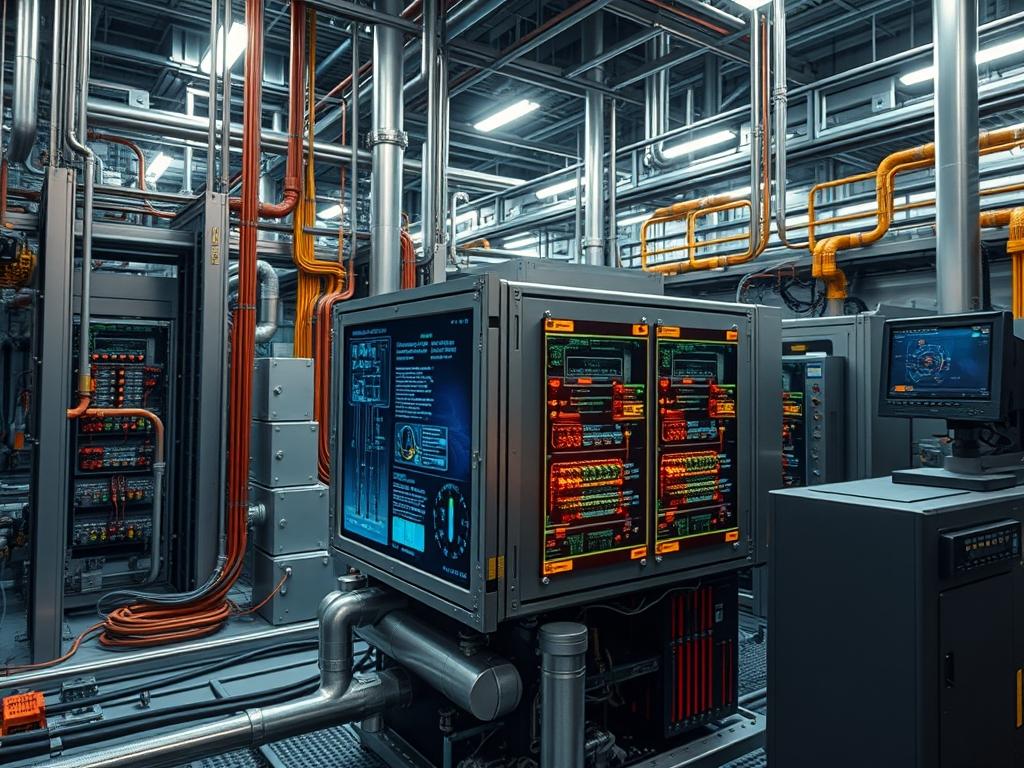
Inverter thermal management relies on the efficient conduction of heat from high power switching components to environmental heat sinks. In high density power conversion systems, such as grid tie solar inverters, variable frequency drives, or data center uninterruptible power supplies, the heat sink serves as the primary thermal interface between the power electronics and the ambient air. Inverter Heat Sink Cleaning ensures that the convective heat transfer coefficient is maintained within the calculated design parameters of the system. Excessive accumulation of particulate matter, such as industrial dust, hygroscopic salts, or organic debris, increases the total thermal resistance from the device junction to the ambient air. This increased resistance leads to elevated operational temperatures for Insulated Gate Bipolar Transistors (IGBTs) and metal oxide semiconductor field effect transistors (MOSFETs). Sustained thermal stress results in accelerated gate oxide degradation and potential thermal runaway. Systematic cleaning protocols mitigate the risk of thermal derating, where the inverter firmware restricts output current to prevent component failure. Maintaining these surfaces is essential for maximizing the operational lifespan of the power stage and ensuring that the Mean Time Between Failures (MTBF) aligns with the original infrastructure specifications.
| Parameter | Value |
| :— | :— |
| Operating Temperature Range | -20C to +60C |
| Maximum Thermal Resistance (Rth) | 0.1 to 0.5 K/W depending on frame size |
| Fan Protocol Support | PWM, Tachometer, Modbus RTU |
| Typical Airflow Requirement | 150 to 500 CFM per 100kW |
| Ingress Protection Rating | IP20 to IP66 |
| Recommended Cleaning Interval | 90 to 180 days based on particulate density |
| Maximum Compressed Air Pressure | 30 PSI (non-condensing) |
| Standard Compliance | IEC 61439, IEEE 1547 |
| Monitoring Interface | SNMP, MQTT, Modbus TCP |
| Thermal Sensor Type | NTC Thermistor, PT1000 |
Environment Prerequisites
Before initiating the cleaning protocol, the system must be transitioned to a safe maintenance state. Technicians require Level 2 Electrical Safety training and arc flash protection depending on the voltage class. Hardened tools, including non-conductive brushes and industrial vacuum systems with HEPA filtration, are mandatory. Software access to the inverter management console via SSH or a local RS485 interface is necessary to monitor real time temperature data. Ensure that the system firmware version is documented to correlate thermal performance changes with specific controller logic updates. Physical access to the air intake and exhaust plenums must be unobstructed.
Implementation Logic
The engineering rationale for prioritized heat sink maintenance is rooted in the Arrhenius Law, which stipulates that the rate of chemical degradation in electronic components doubles for every 10 degree Celsius rise in temperature. Inverter architectures utilize a sandwich design where the power modules are bolted to a cold plate or a finned heat sink. The heat transfer follows a serial path: junction to case, case to sink, and sink to air. Inverter Heat Sink Cleaning focuses on the final and most variable stage of this path. By removing the boundary layer of debris, technicians restore the intended laminar or turbulent airflow patterns across the fins. The controller logic monitors this via delta-T calculations (the difference between the heat sink thermistor and the intake air sensor). If the delta-T exceeds a set threshold at a known load, the firmware triggers a cooling fault. Effective cleaning resets this delta-T variable, allowing the inverter to operate at its peak nameplate capacity without entering a derated state.
System Verification and State Assessment
Prior to physical intervention, query the internal registers of the inverter to establish a baseline thermal profile. Access the device via Modbus TCP to retrieve current heat sink temperatures and fan speeds. This data identifies if a specific module in a multi-string or modular array is underperforming relative to its peers.
“`bash
Example query for Modbus register 30501 (Heat Sink Temp)
mbpoll -m tcp -a 1 -r 30501 -c 1 192.168.1.50
“`
System Note: Use a Fluke Ti480 PRO infrared camera to map thermal hotspots across the surface of the fins while the system is under load. This non-contact inspection reveals localized blockages or fan failures that may not be apparent to the telemetry system.
Safe De-energization and Isolation
Inverters contain high capacity bus capacitors that hold lethal charges even after the primary DC and AC disconnects are opened. Follow Lockout Tagout (LOTO) procedures. Verify the absence of voltage on the DC bus using a Category III or IV multimeter. Wait for the discharge time specified in the hardware manual, typically five to ten minutes.
System Note: Verify the internal discharge resistor circuit is functional by monitoring the voltage decay on the DC bus. If the voltage does not drop to less than 50V within the specified timeframe, do not proceed with maintenance.
Physical Debris Extraction
Utilize compressed air at a maximum of 30 PSI to blow through the heat sink fins in the direction opposite of the standard airflow. This dislodges trapped particles from the narrowest paths of the cooling assembly. Use a non-conductive brush to remove stubborn film buildup, which often consists of oils and fine dust that compressed air cannot move.
System Note: Always secure the cooling fans during this process. Forcing a fan to spin with compressed air can induce a back-EMF into the control board, potentially damaging the PWM driver or the tachometer input circuitry. Physical restraint with a plastic shim is recommended.
Fan Assembly Inspection and Service
The cooling fans are the primary moving parts in the thermal solution. Inspect the fan blades for leading edge erosion or accumulation of material that causes rotational imbalance. Check the fan housing for signs of bearing wear, such as grease leakage or axial play. Reconnect the system logic to verify the tachometer pulse is consistent across the full PWM range.
“`bash
Verification of fan duty cycle via controller CLI
show environment cooling
Output: Fan 1 Speed: 4500 RPM, PWM: 60%, Status: OK
“`
System Note: If the inverter uses a redundant fan array (N+1), verify that the backflow dampers are functioning correctly. A stuck damper can cause the cooling air to recirculate within the cabinet rather than exiting the exhaust port.
Re-energization and Thermal Validation
Restore power to the unit and apply a dummy load or step the system back into production. Monitor the heat sink temperature as the output power ramps up. The goal is to observe a lower steady state temperature for the same power throughput compared to the pre-cleaning baseline.
System Note: Log the values into a centralized Grafana dashboard or SNMP collector to track the rate of temperature rise over time. This data is critical for predictive maintenance scheduling in future cycles.
Dependency Fault Lines
- Thermal Paste Degradation: While the heat sink surface is clean, the thermal interface material (TIM) between the IGBT and the sink may have dried or pumped out. This leads to high junction temperatures despite a cold heat sink. Verification involves checking the case-to-sink temperature delta.
- PWM Signal Attenuation: In high EMI environments, the control signals for the fans may suffer from noise interference if the shielding is compromised. This results in erratic fan speeds or false stall alarms. Remediation requires checking the integrity of the shielded twisted pair (STP) cabling.
- Sensor Calibration Drift: NTC thermistors can drift due to moisture ingress or thermal cycling. If a sensor reports a temperature of 100C when the unit is cold, the inverter will stay in a locked fault state. Verification requires comparing the sensor output to a calibrated thermocouple at ambient temperature.
- Alkali or Acidic Corrosion: In coastal or industrial chemical environments, the aluminum fins of the heat sink may oxidize. This oxidation layer acts as an insulator. If cleaning does not restore performance, the sink may require chemical neutralization or replacement.
Troubleshooting Matrix
| Symptom | Fault Code | Verification Method | Root Cause |
| :— | :— | :— | :— |
| Overheat Warning | E02 / W05 | Check syslog for “Thermal Trip” | Clogged fins or high ambient temp |
| Fan Speed Mismatch | F44 | Use netstat to verify Modbus connectivity, then check tachometer | Bearing friction or PWM fault |
| Derated Output | W12 | Compare PV input to AC output throughput | Active thermal current limiting |
| Rapid Temp Spike | E09 | Real time monitoring of DC bus and temp | TIM failure or IGBT short circuit |
| Sensor Open Circuit | F01 | Measure resistance across NTC leads | Broken wire or failed thermistor |
Inland industrial sites often see “E02” faults after seasonal pollen or dry periods. If journalctl -u inverter-monitor shows frequent “Thermal Throttling Engaged” messages, the cleaning interval is too long for the environmental particulate load.
Performance Optimization
To maximize throughput, tune the fan curve within the inverter configuration file or controller interface. Shifting the fan ramp up to start at 40C instead of 50C can lower the average thermal inertia of the system, though this increases parasitic load and fan wear. Ensure that the cabinet pressure remains positive to prevent dust ingress through non-filtered entry points.
Security Hardening
Thermal management systems are often overlooked in security audits. Access to the IPMI or Modbus interface must be restricted via VLAN segmentation and ACLs. A malicious actor could theoretically disable the cooling fans remotely, leading to physical damage of the power modules. Implement stateful inspection on the management network to detect unauthorized “Write” commands to fan control registers.
Scaling Strategy
For infrastructure with multiple inverter units, implement a centralized thermal management daemon. This service aggregates SNMP traps from all units. If one unit shows a 15% higher temperature than the average of the cluster at the same load, the system automatically flags that specific unit for Inverter Heat Sink Cleaning in the next maintenance window. This targeted approach reduces labor costs compared to fixed group scheduling.
Admin Desk
How do I identify a clogged heat sink remotely?
Monitor the relationship between current load and heat sink temperature via SNMP. If the temperature-to-load ratio increases over a 30 day period, particulate accumulation is the likely cause. Check for the “Thermal Derate” flag in the device status register.
What is the safest way to clean without dismantling?
Use industrial vacuums on the exhaust side while applying low pressure compressed air to the intake. This creates a push-pull effect that captures dislodged debris, preventing it from settling on the control boards or other sensitive electronic components within the chassis.
Can I use liquid cleaners on inverter fins?
Only use specialized non-residue electronic cleaners if oily films are present. Avoid water or conductive solvents. Ensure the unit is completely dry before re-energizing. Most industrial applications only require mechanical cleaning with air and brushes to restore the thermal interface.
How often should I replace the cooling fans?
Fans are consumables with a typical L10 life of 40,000 to 70,000 hours. Replace them when the tachometer reports a 10% deviation from the command speed or when physical inspection reveals bearing noise. Do not wait for a total stall.
Why is the inverter still overheating after cleaning?
If the heat sink is clear, inspect the thermal interface material (TIM). Thermal pumping or dry-out creates air gaps between the power module and the sink. You must remove the module, clean the surfaces, and apply new high-conductivity thermal paste or pads.