
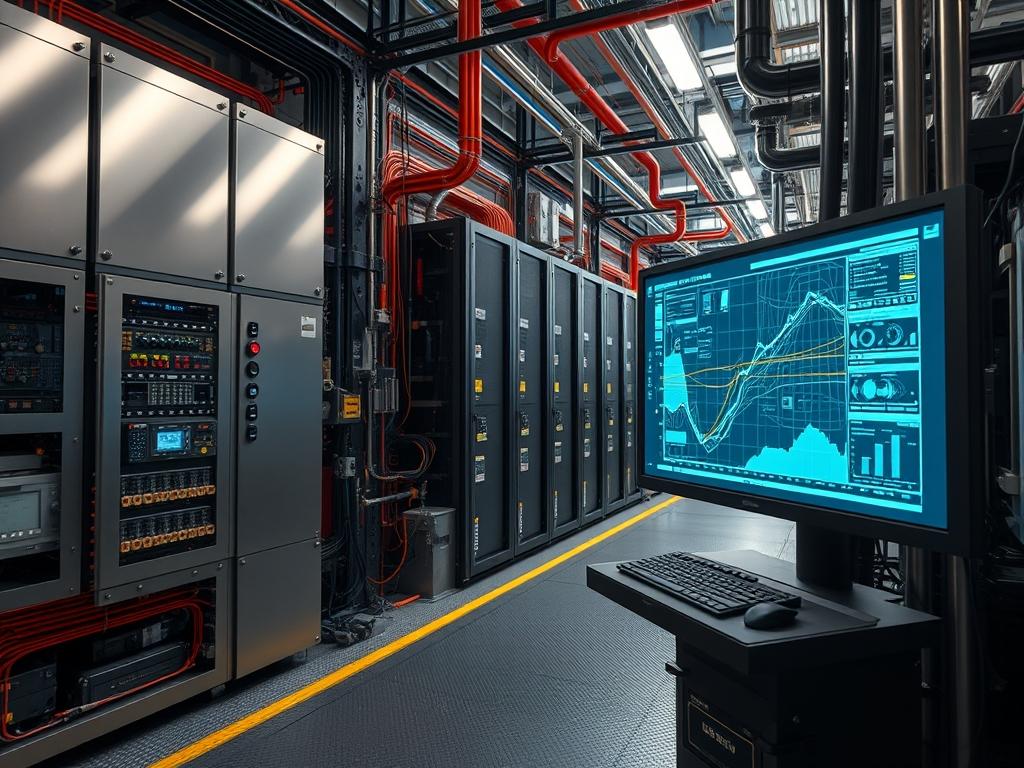
Busbar Heat Analysis is a prerequisite for maintaining operational uptime in high amperage power distribution environments, including data centers, industrial switchgear, and heavy manufacturing plants. The primary purpose of this monitoring system is the early detection of thermal anomalies caused by increased contact resistance, harmonic distortion, or phase imbalance. When current flows through a conductor, resistive heating is generated; however, mechanical degradation, oxidation, or improper torque on busbar joints create localized hotspots that lead to catastrophic equipment failure or arc flash incidents. This monitoring layer resides within the physical and facility management domains, typically integrating with Distributed Control Systems (DCS) or Data Center Infrastructure Management (DCIM) platforms.
The operational dependencies include high precision infrared (IR) sensors, contact based thermistors, or Surface Acoustic Wave (SAW) wireless sensors capable of functioning in high Electromagnetic Interference (EMI) environments. Failure to maintain these analysis parameters results in increased thermal inertia, where the heat buildup exceeds the cooling capacity of the surrounding air or liquid medium. By utilizing real-time thermal telemetry, engineers can identify a 5 degree Celsius delta between phases before insulation breakdown occurs. This prevents loss of throughput in critical power paths and eliminates unplanned outages caused by thermal trip events in main breakers.
| Parameter | Value |
| :— | :— |
| Operating Temperature Range | -40C to +125C |
| Accuracy Threshold | +/- 1 degree Celsius |
| Communication Protocols | Modbus TCP, SNMP v3, MQTT, EtherNet/IP |
| Default Communication Port | 502 (Modbus), 161 (SNMP), 1883 (MQTT) |
| Sampling Rate | 100ms to 5 minutes (User Configurable) |
| Supply Voltage | 12V to 24V DC or Passive Energy Harvesting |
| Sensor Type | Non-contact IR, Thermopile, or SAW |
| Emissivity Correction | 0.1 to 1.0 (Adjustable) |
| EMI/RFI Tolerance | IEC 61000-4-x Compliance |
| Ingress Protection | IP67 for Sensor Heads |
Configuration Protocol
Environment Prerequisites
Successful deployment of Busbar Heat Analysis requires specific infrastructure readiness. The localized network must support low latency transmission to the central collector to prevent stale telemetry. Ensure that all sensors are installed with line of sight for IR pyrometers or verified mechanical adhesion for contact sensors. Firmware version 4.2.1 or higher is required for all Modbus gateways to support encrypted payload delivery. Permissions must be delegated to the monitoring-service user with read-write access to the I2C or SPI bus on the hardware controller. Standards compliance with NFPA 70E is mandatory during physical installation to mitigate arc flash risks.
Implementation Logic
The architecture relies on a differential thermal analysis model. Rather than monitoring absolute temperature thresholds, the system calculates the delta between the conductor surface and the ambient environment, as well as the deviation between parallel phases. This logic compensates for seasonal variations in room temperature. The processing chain involves a hardware abstraction layer (HAL) that polls raw millivolt or frequency data, converts it to a digital scale, and publishes it to a time-series database. Encapsulation occurs at the gateway level where protocol translation from serial to TCP/IP is performed. This design isolates the high voltage physical layer from the logic layer, ensuring that a sensor failure does not propagate back to the primary PLC.
Step By Step Execution
Initializing the Sensor Daemon
The monitoring service must be initialized within the Linux environment to handle incoming telemetry from the thermal sensors. This involves configuring a service to manage the lifecycle of the data collector.
“`bash
Edit the service configuration to define the collector binary
sudo nano /etc/systemd/system/thermal-collector.service
[Unit]
Description=Busbar Thermal Analysis Collector
After=network.target
[Service]
ExecStart=/usr/local/bin/thermal_bin –interface eth0 –port 502 –log /var/log/thermal.log
Restart=always
User=infra_admin
[Install]
WantedBy=multi-user.target
Reload and start the daemon
sudo systemctl daemon-reload
sudo systemctl enable thermal-collector.service
sudo systemctl start thermal-collector.service
“`
Internal Modification: This action creates a persistent background process that binds the hardware interface to the software listener, ensuring the collector recovers automatically after a power cycle.
System Note: Use journalctl -u thermal-collector.service -f to monitor the initialization sequence and verify that the Modbus stack is loading correctly.
Configuring Emissivity and Scaling Factors
Raw sensor data often requires scaling to represent actual temperature values. For IR sensors, the emissivity of the busbar material (copper vs. aluminum) must be applied to the sensor register.
“`python
import pymodbus.client as ModbusClient
Connect to the thermal gateway
client = ModbusClient.ModbusTcpClient(‘192.168.10.50’)
client.connect()
Set emissivity for copper busbar (typically 0.40 to 0.60)
Register 4005 holds the emissivity value * 100
client.write_register(4005, 55)
Verify the scaling factor is set to 0.1 for 1 decimal point precision
client.write_register(4006, 1)
client.close()
“`
Internal Modification: These commands modify the internal EEPROM of the thermal sensor head, adjusting the gain of the internal amplifier to match the radiative properties of the target metal.
System Note: Use a Fluke IR thermometer to calibrate the initial reading against the sensor output to ensure the scaling factor is accurate.
Establishing Alert Thresholds in the Logic Controller
The logic controller must be programmed to recognize critical thermal deviations. This is typically done via a configuration file or a direct register write to the PLC.
“`yaml
config.yaml for the thermal analysis engine
thresholds:
warning_delta: 15.0 # Degrees C above ambient
critical_delta: 30.0 # Degrees C above ambient
phase_imbalance_max: 5.0 # Max difference between phases
actions:
on_warning: log_event –level=WARN –notify=sysops
on_critical: trigger_alarm –id=ALM_04 –output=relay_1
“`
Internal Modification: This configures the comparator logic within the user-space monitoring application, defining the boundaries for state changes in the monitoring state machine.
System Note: Verify the relay module state with netstat or a logic probe to ensure the alarm signal propagates correctly when the threshold is breached.
Dependency Fault Lines
One frequent failure domain is signal attenuation caused by excessive cable runs or high EMI from the busbars. If using analog signals (4 to 20mA), electromagnetic induction can introduce noise, leading to jitter in the reported temperature. The root cause is often the lack of shielded twisted pair cabling or improper grounding of the cable shield. Symptoms include erratic temperature spikes in the log files. Verification requires an oscilloscope to check for AC ripples on the DC signal line. Remediation involves installing a signal isolator or switching to a digital protocol like Modbus TCP over fiber optics.
Another critical fault line involves kernel module conflicts on the gateway device. If multiple services attempt to access the /dev/i2c-1 bus simultaneously, the bus locks, causing the collector daemon to hang. This is observed through “I/O error” messages in syslog. Use i2cdetect -y 1 to verify device presence and ensure that the i2c-dev kernel module is loaded exclusively by the priority service. Permission conflicts are also common; if the daemon is not in the i2c group, it will be denied access to the raw character device.
Troubleshooting Matrix
| Symptom | Error Message / Log Entry | Diagnostics | Remediation |
| :— | :— | :— | :— |
| Gateway Timeout | `Connection refused: port 502` | `nmap -p 502
| Negative Readings | `Value out of range: -32768` | Check sensor wiring and continuity. | Replace damaged thermistor or check IR sensor alignment. |
| High Jitter | `WARN: Fluctuating inputs detected` | Inspect cable shielding and grounding. | Re-route signal cables away from AC power lines. |
| Inaccurate Temp | `Alm: High Delta Phase A-B` | `snmpwalk -v3 -u user
| Service Failure | `systemd: thermal-collector.service failed` | `journalctl -xe` | Check for library incompatibilities in python-pymodbus. |
Example SNMP trap for a thermal event:
`TRAP: Critical Temperature Exceeded; OID: .1.3.6.1.4.1. thermalValue=95; location=”Main Switchgear A”`
Optimization And Hardening
Performance Optimization
To increase throughput and reduce latency in highly dense power environments, configure the thermal-collector to use asynchronous I/O. Instead of sequential polling of each sensor, implement a concurrent execution model that sends multiple Modbus read requests in a single window. This reduces the time to scan 100+ points from seconds to milliseconds. Additionally, implement a Kalman filter in the data ingestion pipeline to smooth out noise without introducing the significant lag associated with moving averages. This ensures that the system reacts to real thermal trends while ignoring transient spikes caused by motor starts or switching surges.
Security Hardening
Isolate the thermal monitoring network using a dedicated VLAN with strictly defined Access Control Lists (ACLs). Only the central management server should be permitted to communicate with the sensors via port 502 or 161. Disable all unencrypted services such as Telnet or HTTP on the sensor gateways. Use SNMP v3 with AES-256 encryption and SHA-512 authentication to prevent unauthorized telemetry interception. For MQTT implementations, enforce TLS 1.3 certificates for all client connections and use a non-default port to reduce exposure to automated scanning tools.
Scaling Strategy
Horizontal scaling is achieved by deploying regional gateways at each power distribution point, which then aggregate data to a centralized InfluxDB or Prometheus instance. This prevents a single point of failure in the telemetry chain. For high availability, utilize a dual-homed network configuration where each thermal gateway connects to two independent switches. If the primary link fails, the routing protocol (e.g., STP or BGP) initiates a failover to the secondary path within sub-second intervals, ensuring continuous visibility into the busbar thermal state even during network maintenance.
Admin Desk
How do I verify sensor calibration without removing the sensor?
Use a calibrated blackbody source or a high precision thermal imaging camera. Compare the camera reading of the busbar surface to the sensor telemetry. Adjust the emissivity register in the software until the values align within 1 percent.
Why is there a lag between current spikes and temperature increases?
This is due to thermal inertia. The mass of the copper busbar requires time to absorb resistive energy. Analysis logic must account for this by monitoring the rate of change rather than just instantaneous values during peak load.
What causes a “Phase Delta Alarm” during balanced load conditions?
This typically indicates a mechanical issue, such as a loose bolt or oxidation on one specific lug. If the current is balanced across phases but one phase is hotter, prioritize physical inspection of those connection points immediately.
Can I run thermal sensors on the same bus as SCADA?
It is possible but discouraged for high amperage environments. Heavy electrical noise can corrupt Modbus RTU packets. Use separate shielded runs or move to Modbus TCP over fiber to ensure packet integrity and isolation.
How do I handle data gaps in my trends?
Check for packet loss on the gateway. If the network is stable, inspect the daemon logs via journalctl. Data gaps usually stem from the collector timing out because the sensor response exceeds the defined timeout variable.